Installing Pro
Before You Start
Required: Install and activate the free GrabWP Tenancy base plugin first. Pro is an add-on that extends the base plugin - it will not work without it.
→ Install the free plugin first
Get Your Pro Plugin ZIP
After purchase, Polar (our payment processor) sends a confirmation email to your address. That email contains a Customer Portal link - open it to download your Pro plugin ZIP file.
If you can't find the email, check your spam folder or search for "Polar" or "GrabWP".
Install the Pro Plugin
- Download the ZIP from your Polar Customer Portal
- Go to Plugins → Add New → Upload Plugin
- Upload the ZIP → Install Now → Activate Plugin
Pro activates alongside the base plugin with no additional configuration needed.
Verify the Installation
Go to GrabWP Tenancy → Status and check that the Pro plugin is shown as active.
What Changes After Activation
Once Pro is active, each tenant site in the list gets additional row action links:
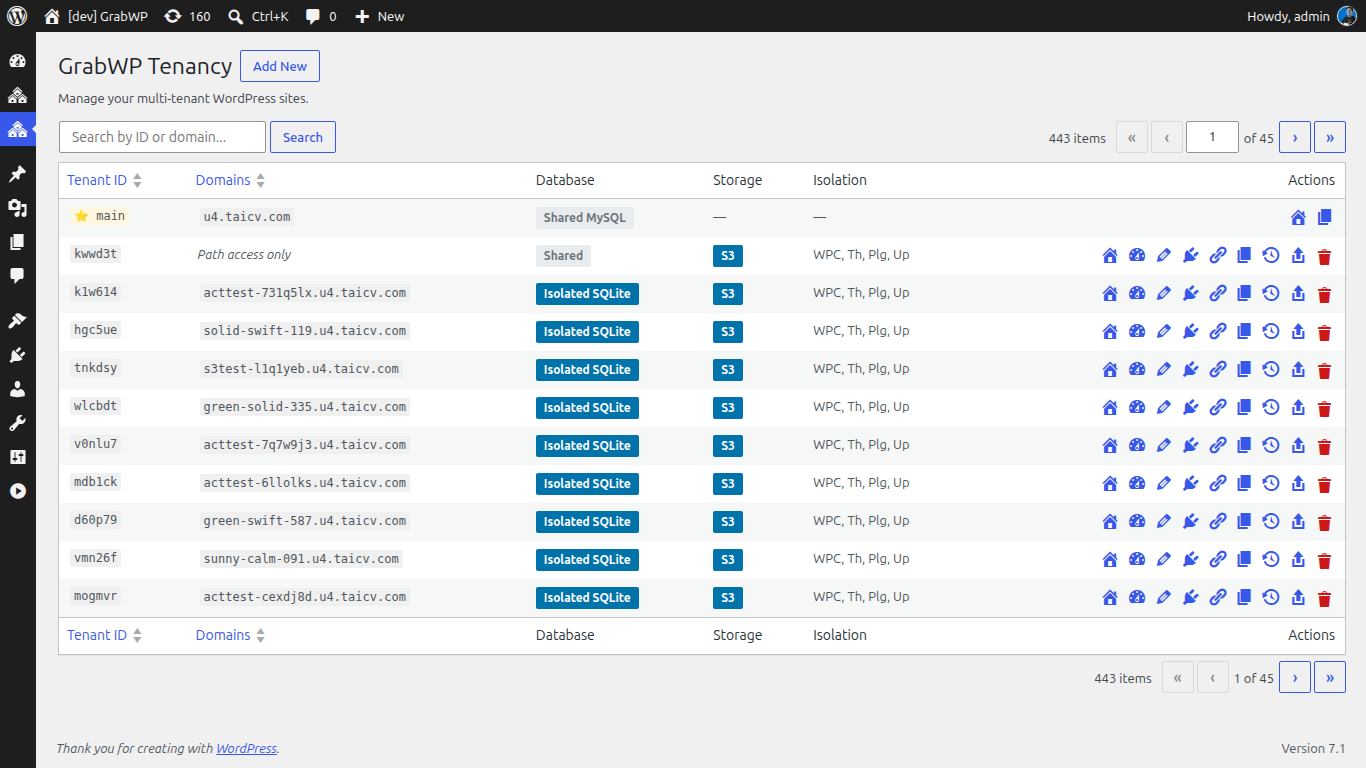
- Extensions - manage which plugins and themes are available to the site
- Backup - create a backup of the site
- Restore - restore the site from a backup ZIP
The tenant Edit form also gains additional fields for per-site isolation settings (database type, content isolation).
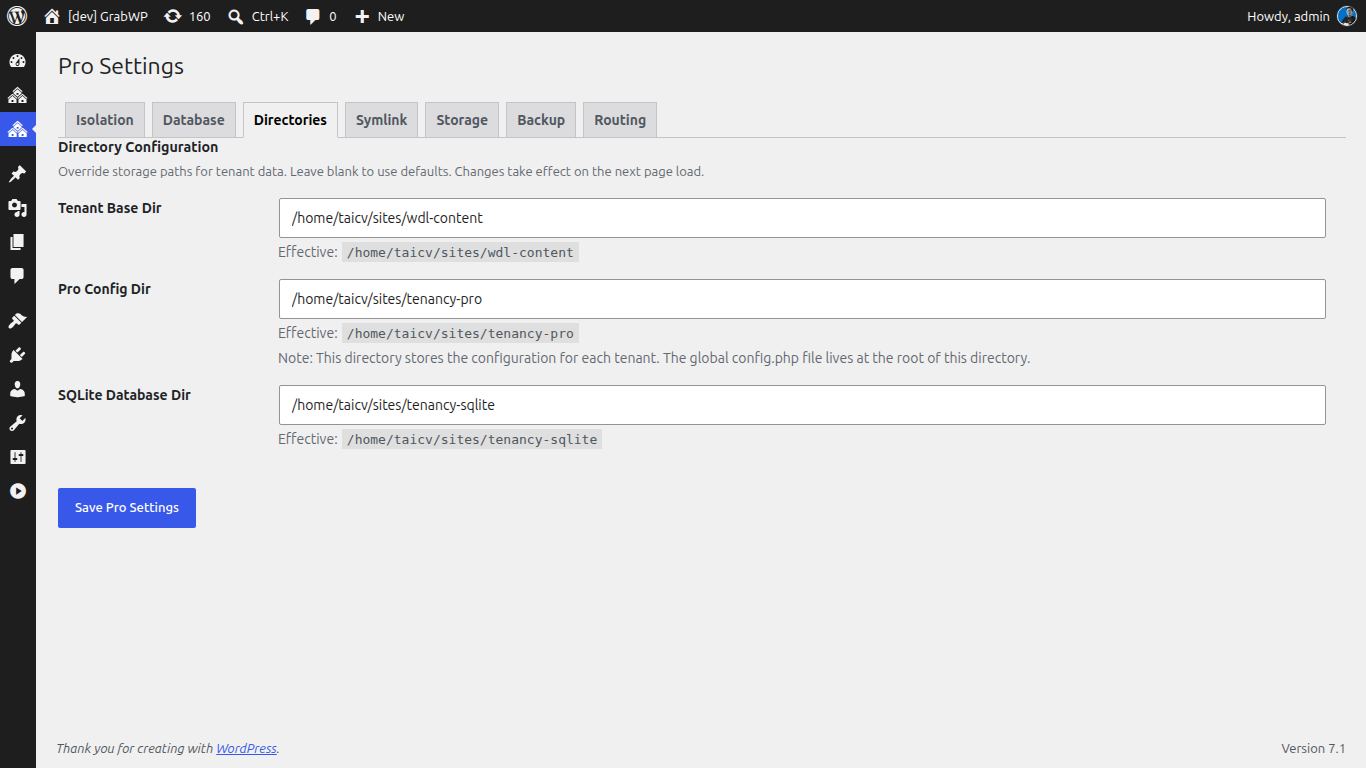
A new GrabWP Tenancy → Pro Settings submenu page is added for configuring default isolation settings for new sites.
Deactivating Pro
Deactivating Pro removes the Pro UI and stops Pro-specific features. Tenant sites revert to base plugin behavior.
Tenant data is not deleted on deactivation.