Tenant Settings & Overrides
Global defaults for every tenant are under Tenancy → Settings. See Installation. Pro adds two tenant tabs: Settings (that site's WordPress options) and Overrides (GrabWP settings for that site only).
Open either tab from the tenant: Tenancy → All Tenants, Settings icon (page=grabwp-tenancy-edit), then the tab. Homepage and WP Admin on the same bar open the tenant site.
Settings
page=grabwp-tenancy-pro-tenant-settings
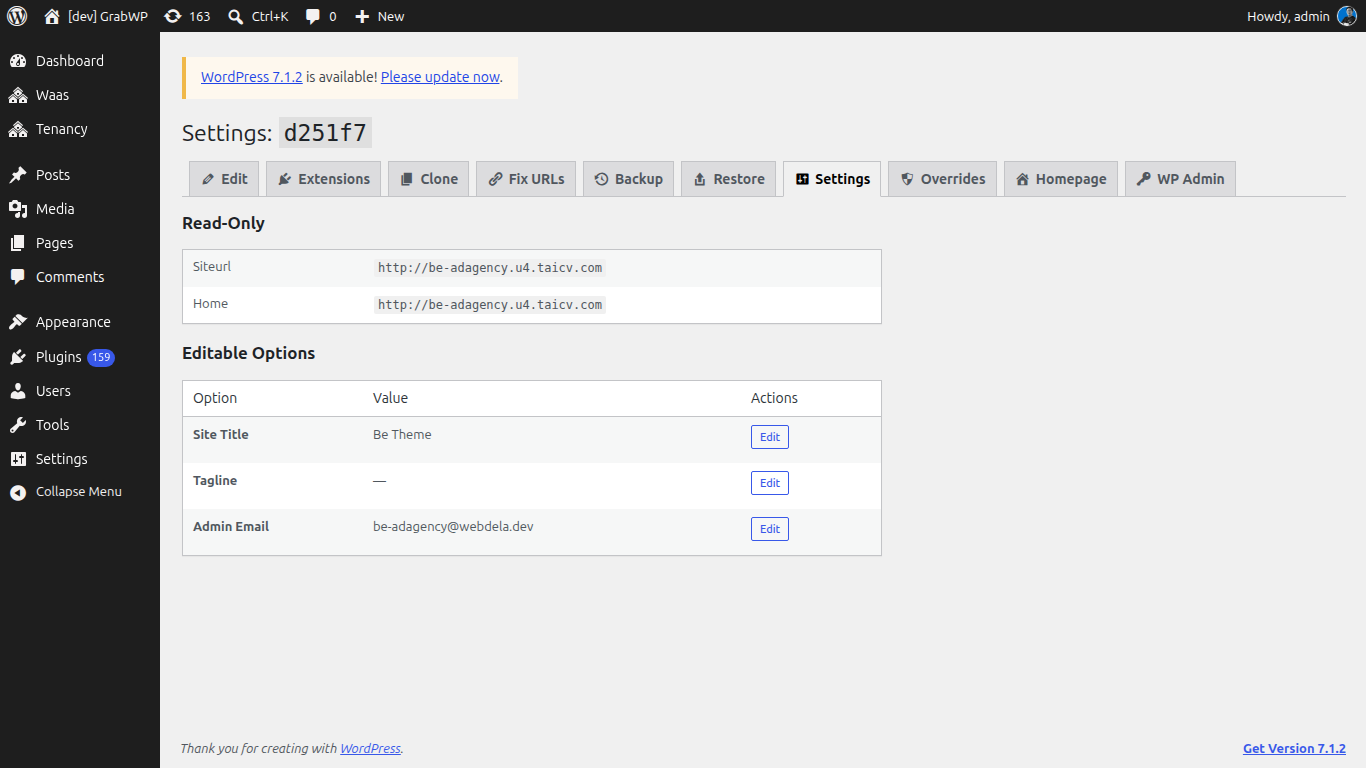
The title is Settings: plus the tenant ID.
If the tenant database cannot be read: Cannot read tenant database. Settings are unavailable.
Read-Only
| Option | Notes |
|---|---|
| Siteurl | Current siteurl in the tenant database. Not edited here. |
| Home | Current home value. Not edited here. |
To change the URL stored in the database, use Fix URLs.
Editable Options
| Option | Notes |
|---|---|
| Site Title | blogname |
| Tagline | blogdescription |
| Admin Email | admin_email |
- Click Edit on the row.
- Change Value.
- Click Save. Cancel restores the previous value.
Verify: Reload the tab. Site Title, Tagline, and Admin Email show the values you saved. Siteurl and Home are unchanged.
Overrides
page=grabwp-tenancy-pro-overrides
The Overrides tab is registered when per-tenant overrides are supported on this install.
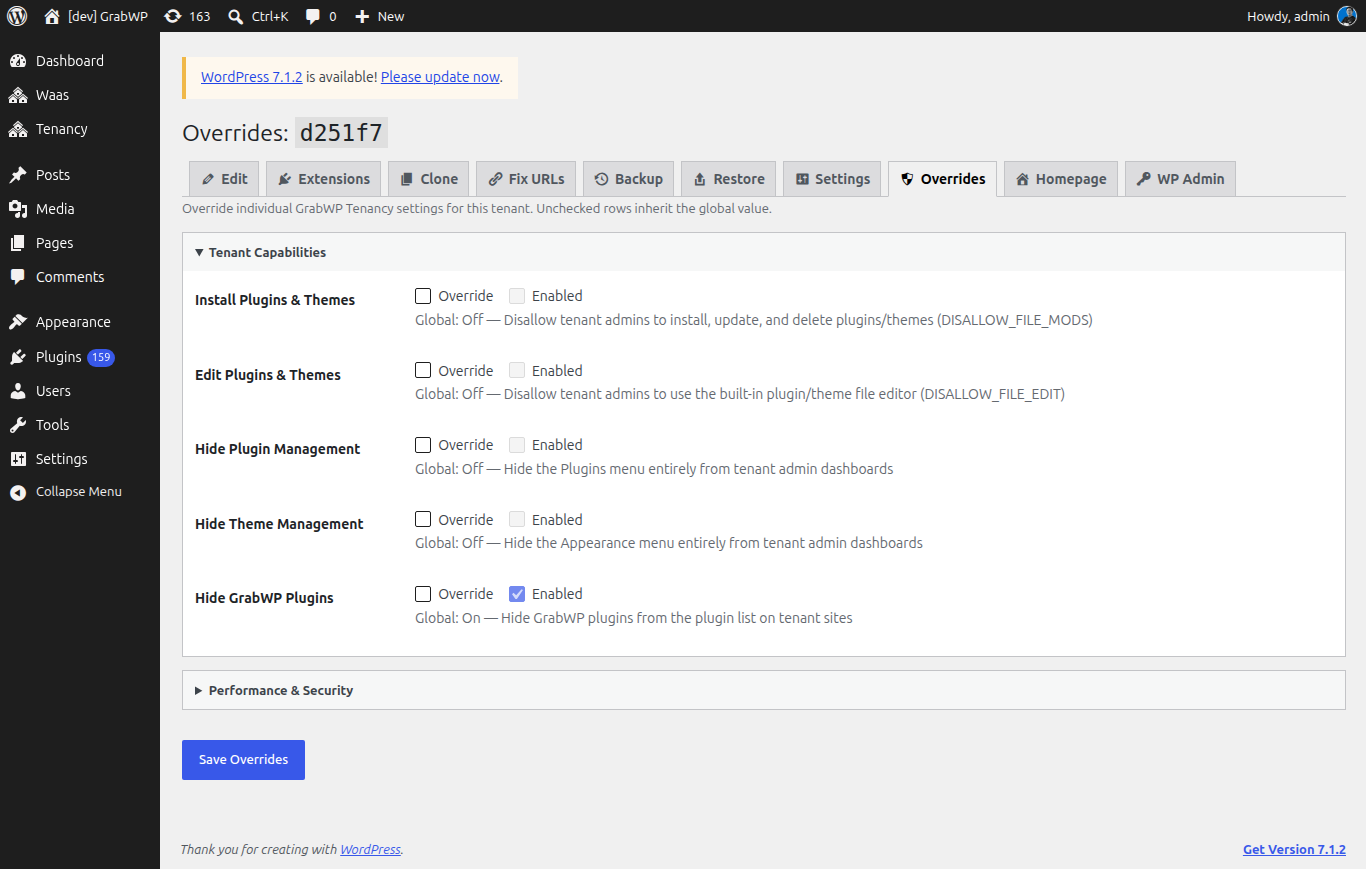
The title is Overrides: plus the tenant ID. Intro: Override individual GrabWP Tenancy settings for this tenant. Unchecked rows inherit the global value.
Groups match Tenancy → Settings:
- Tenant Capabilities
- Performance & Security
| Control | Notes |
|---|---|
| Override | Check to stop inheriting the global value for that row. |
| Value | On/Off, a number, or the setting's own control, depending on the row. |
| Global: | Hint with the current global value (On, Off, or the number or text). |
Click Save Overrides. Success: Overrides saved. If the tenant config file is not writable: Failed to save overrides. Check that the tenant config file is writable.
Clear every Override checkbox and save to inherit all global settings again.
Verify: Change one capability on this tenant only. Tenancy → Settings still shows the global value. The override row shows Global: with that global value and your tenant value beside it.