Install Plugins
GrabWP WaaS requires three plugins installed in a specific order. Each plugin depends on the one before it.
Installation Order
1. GrabWP Tenancy (base)  ← must be active first
2. GrabWP Tenancy Pro     ← requires base
3. GrabWP Tenancy WaaS    ← requires base + pro
Step 1: Install GrabWP Tenancy (Base)
- Go to Plugins → Add New → Upload Plugin
- Upload
grabwp-tenancy.zip - Click Install Now, then Activate
- You should see a new Tenancy menu in the admin sidebar
Step 2: Install GrabWP Tenancy Pro
- Go to Plugins → Add New → Upload Plugin
- Upload
grabwp-tenancy-pro.zip - Click Install Now, then Activate
- The Tenancy menu now shows additional items: Pro Settings, Tenant Extensions
Note: If activation fails with a dependency error, make sure GrabWP Tenancy (base) is activated first.
Step 3: Install GrabWP Tenancy WaaS
- Go to Plugins → Add New → Upload Plugin
- Upload
grabwp-tenancy-waas.zip - Click Install Now, then Activate
- A new WaaS menu appears in the admin sidebar with:
- Dashboard
- Subscriptions
- Domains
- Templates
- Settings
Verify Installation
After activating all three plugins, go to Tenancy → Status. This page runs system checks and reports any issues:
- File system permissions
- Required PHP extensions
- Database compatibility
- Plugin version compatibility
Fix any reported issues before proceeding.
Plugin List
Your active plugins should include:
| Plugin | Status |
|---|---|
| GrabWP Tenancy | Active |
| GrabWP Tenancy Pro | Active |
| GrabWP Tenancy WaaS | Active |
Discovering Official Add-ons
The recommended way to get official GrabWP add-ons (Stripe, Sepay, Xendit billing providers, and more) is the Add-ons tab in WaaS Settings, rather than hunting for ZIP files. Go to WaaS → Settings → Add-ons (/wp-admin/admin.php?page=grabwp-tenancy-waas-settings&tab=addons). The catalog is grouped by category, bilingual, and cached for six hours (with a last-known-good fallback if the catalog server is unreachable). Compatible add-ons download as a one-click ZIP from the admin; the license key and site URL are appended server-side and never exposed in page HTML. The Billing Providers screen also has a Browse Add-ons link that jumps here.
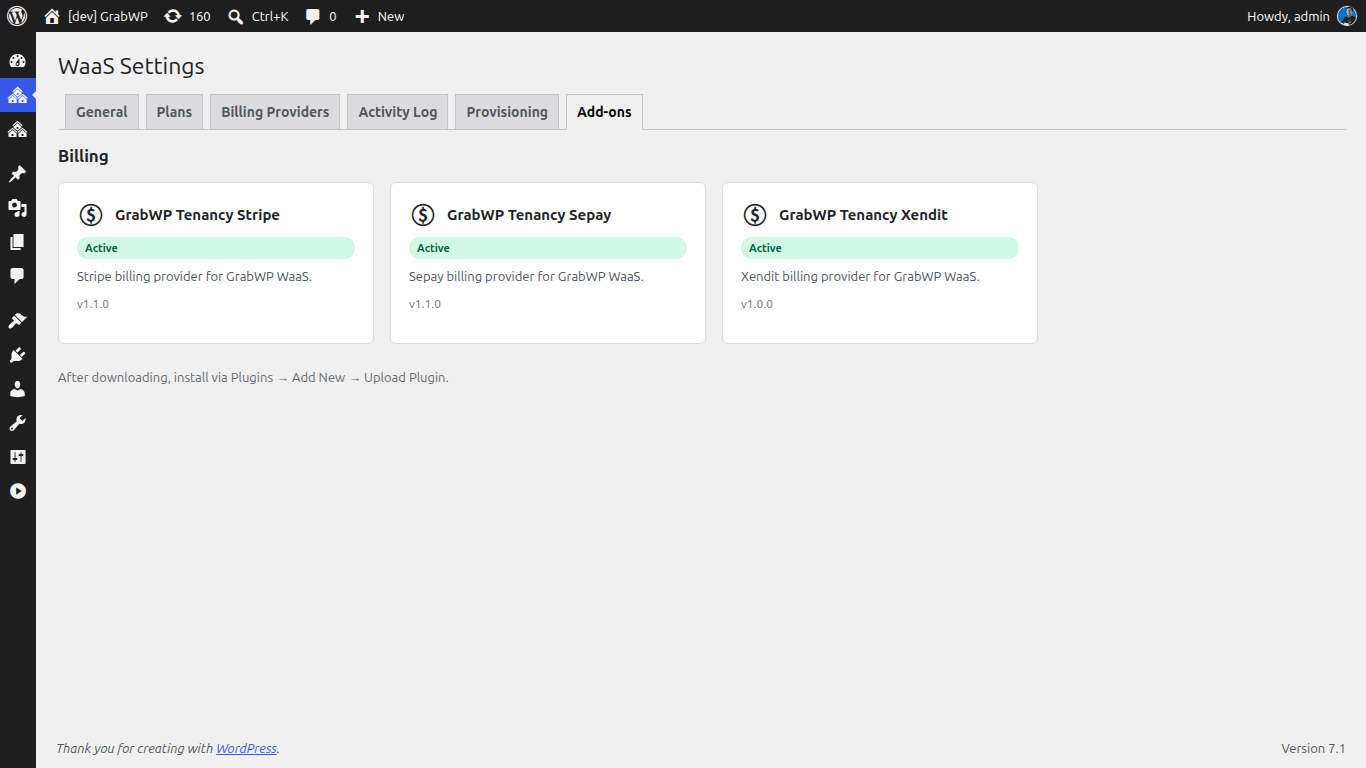
| Badge | Meaning |
|---|---|
| Available | Compatible and ready to download |
| Installed | Downloaded but not activated |
| Active | Installed and running |
| Update Available | A newer compatible version is available |
| Requires WaaS Update | Your WaaS version is too old for this add-on |
Optional: Install SePay Plugin
If you plan to accept Vietnamese bank transfer payments (VietQR), also install:
- Upload
grabwp-tenancy-sepay.zip - Activate
This adds SePay as a billing provider option in WaaS settings.
Next: Configure Pro Settings