Managing Subscriptions
Subscriptions track each tenant's billing status and plan. As an admin, you can view, modify, and manage the full subscription lifecycle.
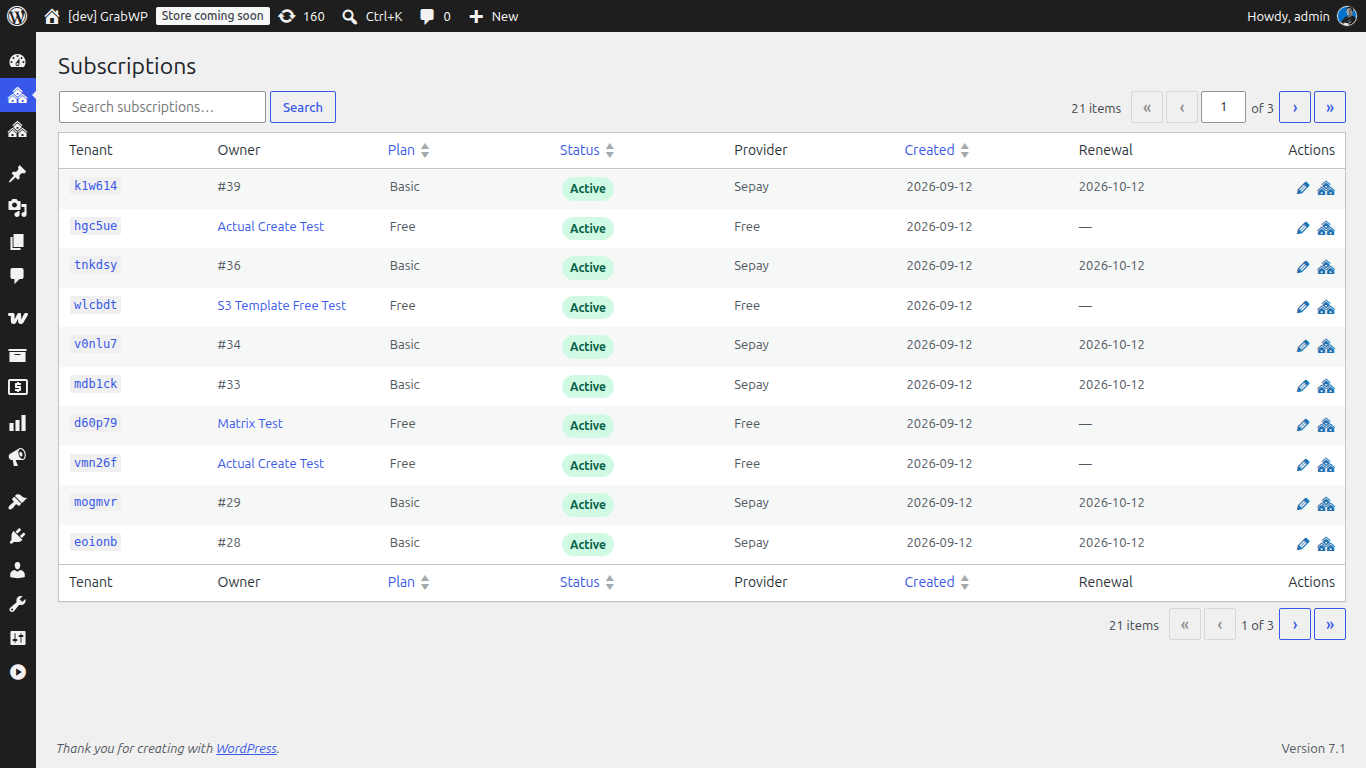
Navigate to WaaS → Subscriptions (/wp-admin/admin.php?page=grabwp-tenancy-waas-subscriptions).
Subscription Statuses
| Status | Meaning | Tenant site |
|---|---|---|
| Pending | Signup started, awaiting payment or provisioning | Not yet accessible |
| Active | Payment confirmed, site provisioned | Fully accessible |
| Suspended | Subscription cancelled or expired (in grace period) | Limited or locked |
| Cancelled | Permanently cancelled | May be deactivated |
Lifecycle
Pending → Active → (renewal) → Active
                 → (cancel)  → Suspended (grace period) → Cancelled
                 → (expire)  → Suspended (grace period) → Cancelled
Viewing Subscriptions
The subscription list shows all subscriptions with:
| Column | Description |
|---|---|
| Tenant | Tenant site slug / domain |
| Plan | Plan name (Free, Pro, etc.) |
| Status | Current status badge |
| Provider | Billing provider (Polar, WooCommerce, etc.) |
| Billing Cycle | Monthly / Yearly |
| Period End | When the current billing period ends |
| Created | Subscription creation date |
Click a subscription to view its details.
Subscription Detail View
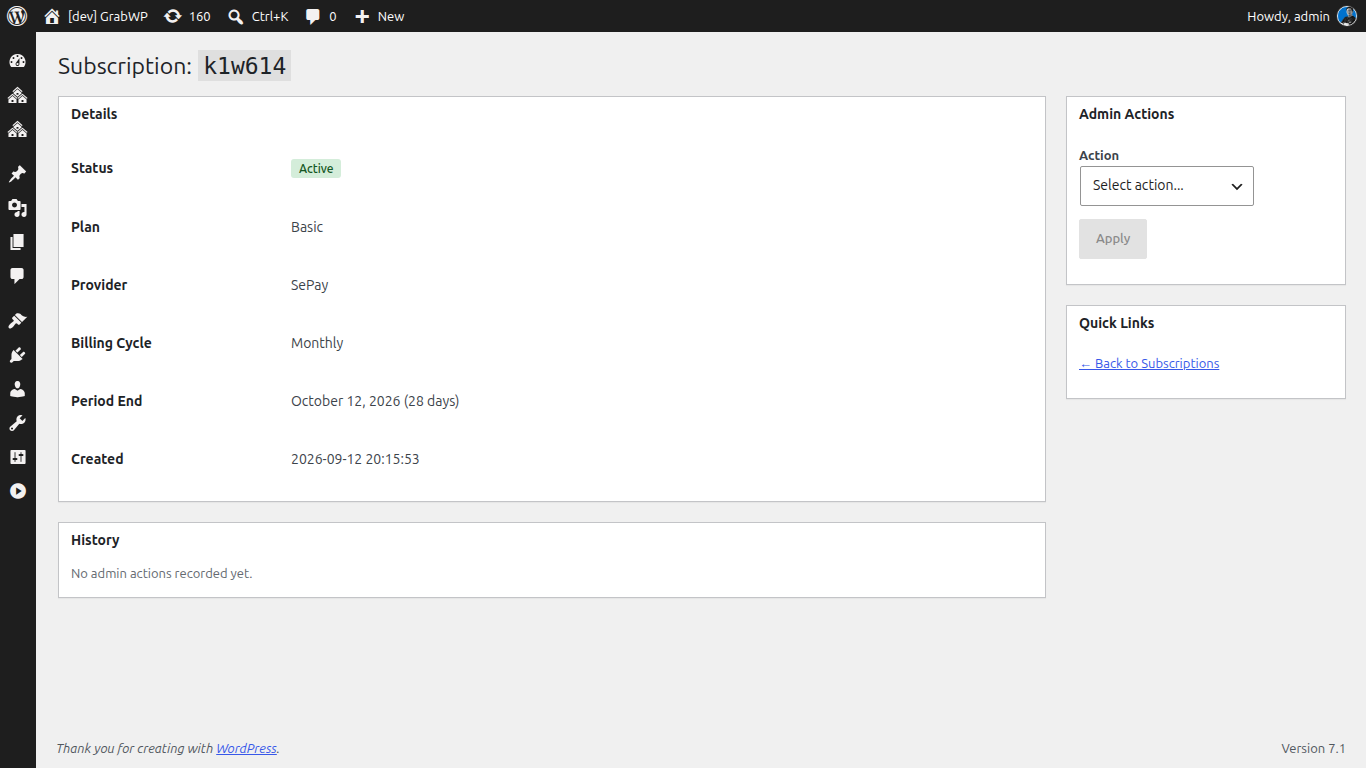
The detail page shows:
- Status badge - current status with color indicator
- Plan - which plan the tenant is on
- Provider - billing provider handling payments
- Billing Cycle - Monthly or Yearly
- Period End - when the current period ends / renewal date
- Provider Subscription ID - reference ID in the billing provider
- Cancellation status - whether cancellation is scheduled at period end
Admin Actions
Use the action dropdown on the subscription detail page to manage subscriptions:
Extend Period
Extend the current billing period by a number of days. Useful for giving extra time to a customer having issues.
- Days: 1–365 (default: 30)
- Reason: Required - document why you're extending
Change Plan
Move a tenant to a different plan.
- Plan: Select from active plans
- Reason: Required
Note: This changes the plan immediately. If switching from free to paid (or vice versa), ensure the billing provider subscription is updated separately.
Grant Complimentary
Give a tenant free access to a plan for a set period. Useful for promotions, partnerships, or support gestures.
- Plan: Select the plan to grant
- Days: 1–365 (default: 30)
- Reason: Required
Suspend
Temporarily suspend a tenant's subscription. The tenant site becomes restricted.
- Reason: Required
Reactivate
Reactivate a suspended subscription. The tenant site becomes fully accessible again.
- Reason: Required
Add Note
Add an internal note to the subscription's audit trail. Not visible to the tenant.
- Note: Free-text comment
Audit History
Every action on a subscription is logged in the audit trail at the bottom of the detail page:
| Column | Description |
|---|---|
| Date | When the action occurred |
| Action | What happened (e.g., "Extend Period", "Change Plan") |
| Admin | Who performed the action |
| Details | Specifics (new plan, days extended, etc.) |
| Reason | Why the action was taken |
Grace Period
When a subscription is cancelled or expires, there is a grace period before the tenant site is suspended.
Configure the grace period in WaaS → Settings → General → Grace Period (days).
| Setting | Default | Description |
|---|---|---|
| Grace Period | 7 days | 0 = immediate suspension on cancellation |
During the grace period:
- The tenant site remains accessible
- The tenant owner sees a notice about the upcoming suspension
- Payment recovery is possible (e.g., updating payment method in Polar)
Automatic Expiry Handling
A daily cron job checks for expired subscriptions:
- Subscriptions past their period end date → marked as expired
- Expired subscriptions past the grace period → suspended
- Suspended subscriptions past a further timeout → cancelled (if configured)
Customer Self-Service
Tenants can manage their own subscription from the dashboard page:
- Cancel subscription - schedules cancellation at period end
- Revert cancellation - if they change their mind before period end
- Upgrade plan - redirects to checkout for the higher plan
Next: S3 Object Storage