Installation
Requirements
- WordPress 5.0 or later
- PHP 7.4 or later
- MySQL 5.7 or later
- WordPress admin access
Install via WordPress Admin (Recommended)
- Go to Plugins → Add New
- Search for GrabWP Tenancy
- Click Install Now → Activate
The plugin automatically installs all required components on activation - MU-plugin, rewrite rules, and directory structure. No manual file editing needed.
Install Manually (ZIP Upload)
- Download the plugin ZIP from wordpress.org/plugins/grabwp-tenancy
- Go to Plugins → Add New → Upload Plugin
- Upload the ZIP → Install Now → Activate Plugin
Verify the Installation
After activation, go to Dashboard → GrabWP Tenancy → Status.
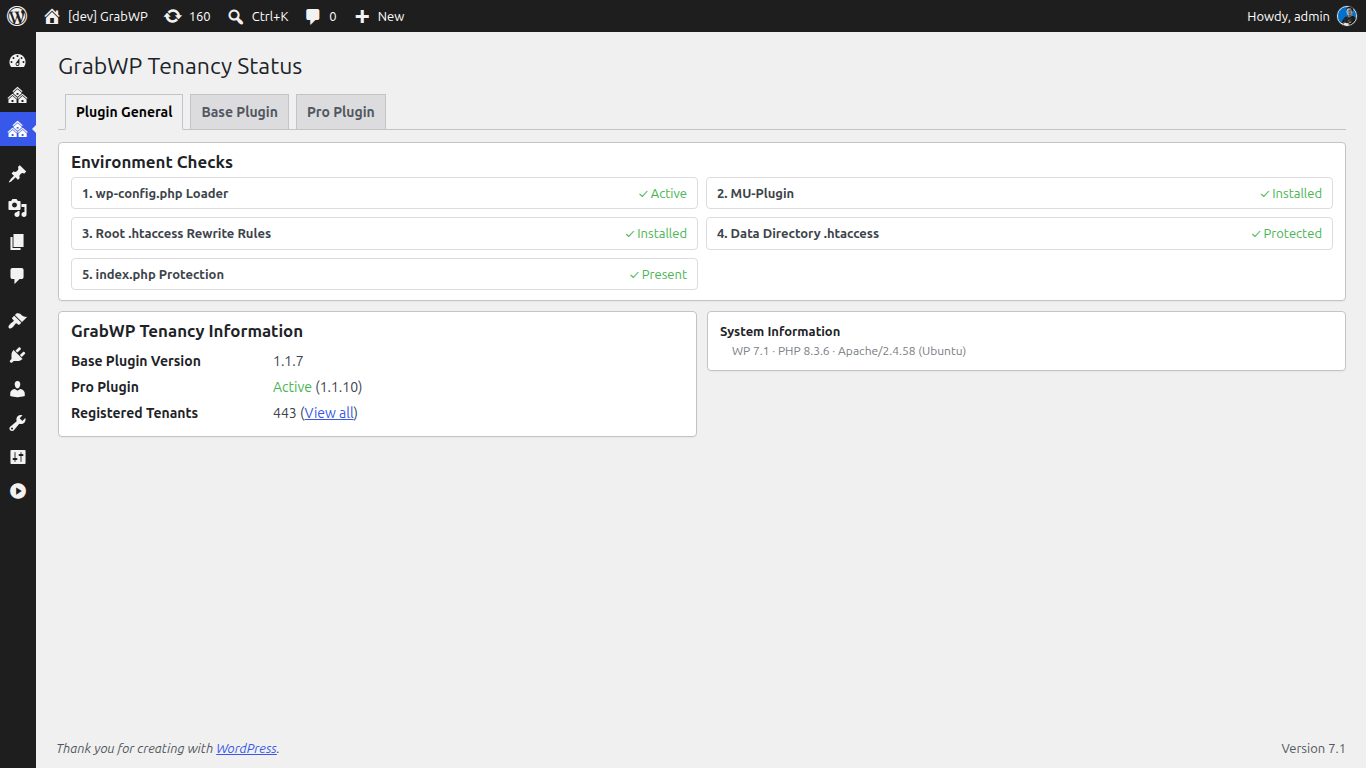
The Status page checks all components automatically:
| Indicator | Meaning |
|---|---|
| ✓ Green | Everything working |
| ⚠ Warning | Minor issue - click Auto Fix |
| ✗ Error | Needs attention - click Auto Fix or follow on-screen instructions |
Once all items are green, you're ready to create tenant sites.
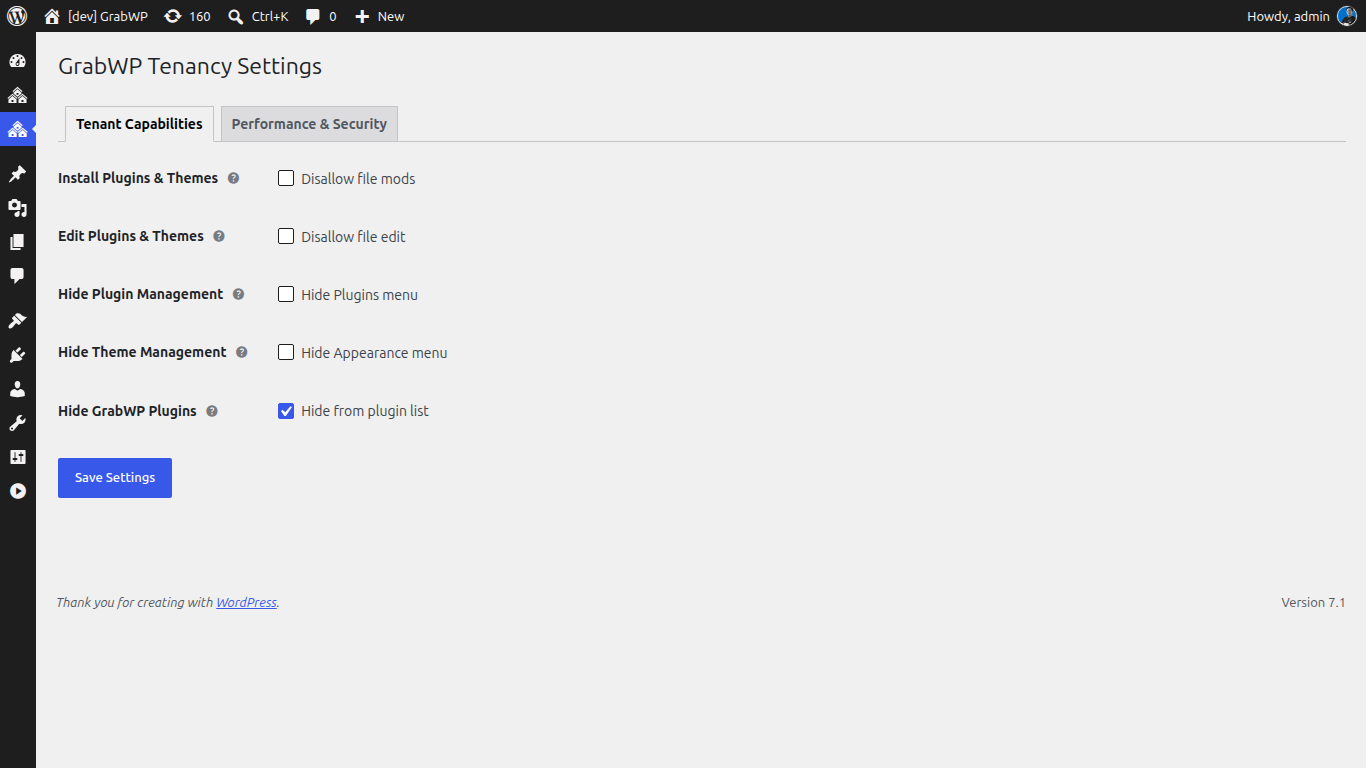
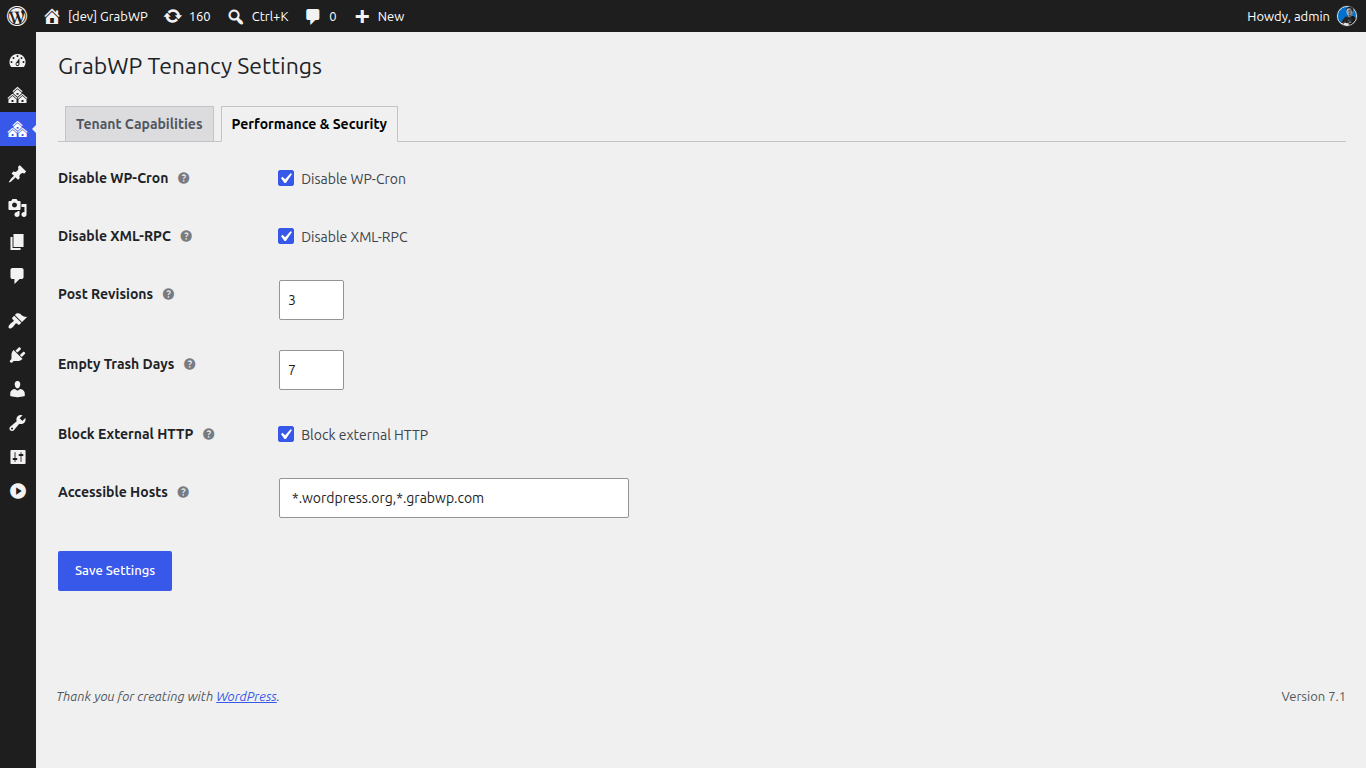
Plugin options and tools live under GrabWP Tenancy in the WordPress admin menu (Status, Tenants, and Settings where applicable). Open GrabWP Tenancy → Settings to review the defaults applied to every tenant site.
The Tenant Capabilities tab controls what tenant administrators can do inside their own site:
The Performance & Security tab sets the resource and hardening defaults inherited by each tenant:
Uninstalling
Deactivating the plugin removes all injected components (MU-plugin, rewrite rules, wp-config.php loader).
Your tenant sites' data is NOT deleted on deactivation - database tables and uploads are preserved. You can safely reactivate the plugin at any time and all sites will be restored.