Create and manage sites
Short answer: every client site is a "tenant": a separate WordPress site that runs on the same install as your main site. Create one on Tenancy > Add New, find and open it on Tenancy > All Tenants, change its domains with the Settings icon, and delete it with the trash icon.
Needs: Free (Pro adds isolation, database and storage options)
What a site is
A site has its own content, users, settings and uploads, and its own admin area. Each site has a Tenant ID: exactly 6 characters, lowercase letters and digits, for example abc123. GrabWP creates it for you. Some IDs are reserved and never used, such as admin1, test01, public, system, config and backup.
The ID shows up in the site's path address, its database table names and its folder name. For a readable address, give the site a domain, or use a path alias with Pro (see Domains and DNS).
By default a client cannot install or delete plugins and themes on their site. See Per-site plugins and themes.
The site list
Open Tenancy > All Tenants. The page title is GrabWP Tenancy.
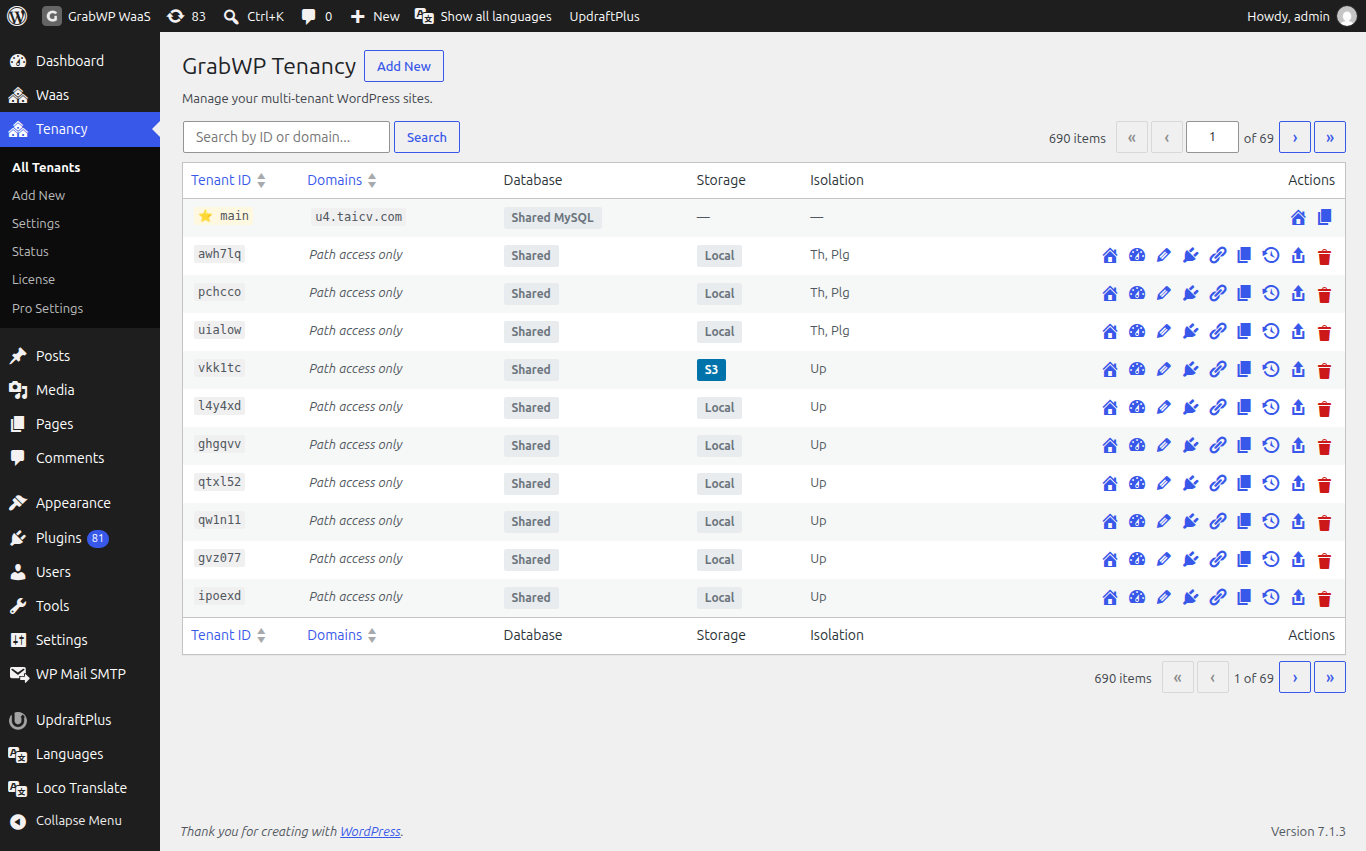
| Column | What it shows |
|---|---|
| Tenant ID | The 6 character ID. Your main install is the starred Main Site row. |
| Domains | Domains linked to the site. Path access only means no domain yet. No domains assigned means the list is empty. |
| Actions | Icons. Hover for the name. See Where things are in wp-admin. |
| Database, Storage, Isolation (Pro) | Database type (Shared MySQL, Isolated MySQL, Isolated SQLite), uploads storage (Local or S3), and short isolation labels: WPC (WP Content), Th (Themes), Plg (Plugins), Up (Uploads). |
Type in Search by ID or domain... and click Search to filter. An empty list shows No Tenants Found and a Create Your First Tenant button.
Create a site
Open Tenancy > Add New, or click Add New on the list.
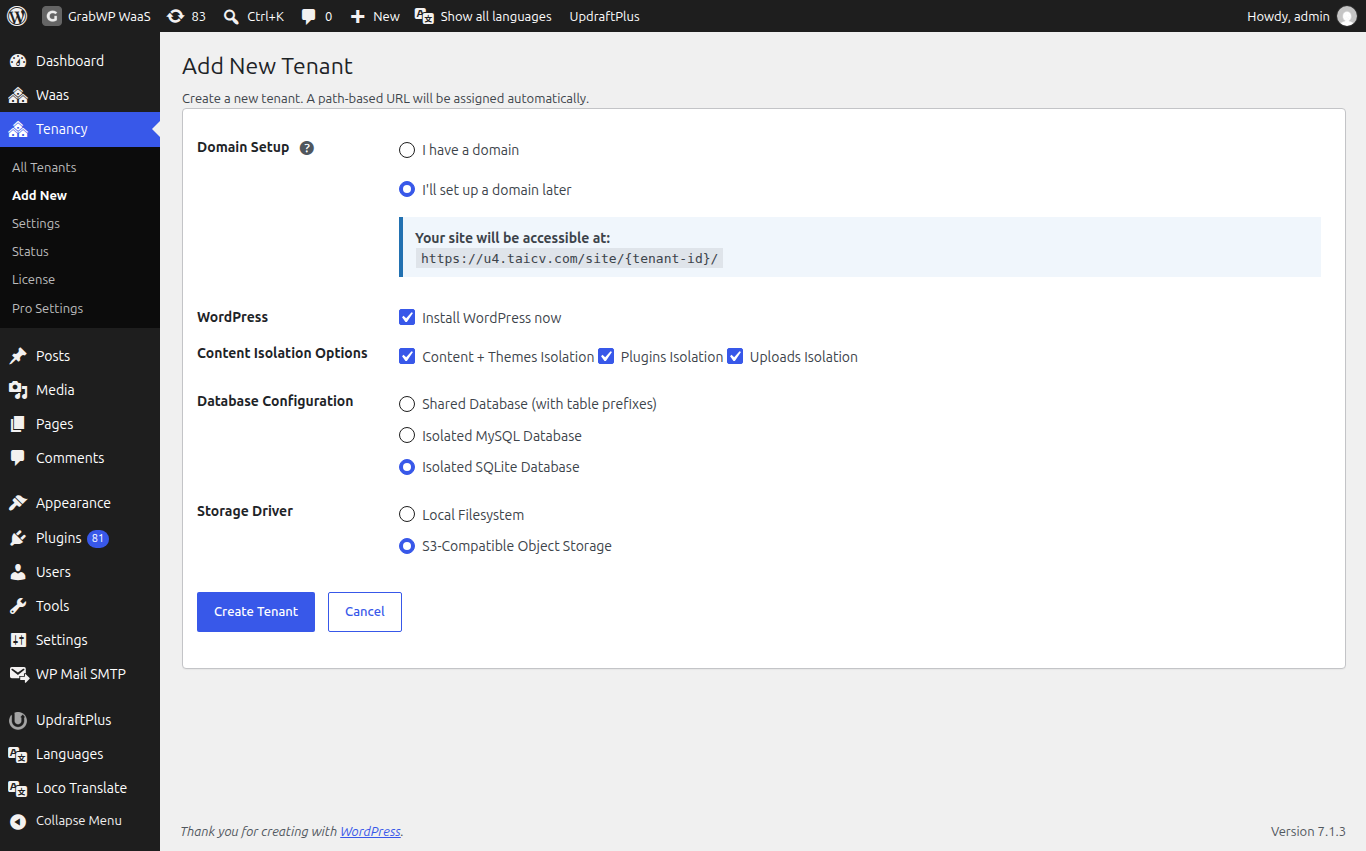
- Under Domain Setup, pick one:
- I'll set up a domain later (the default). The site opens on a path address right away.
- I have a domain. Type it in the Enter domain (e.g. mysite.com) field, without
http://orwww. Use Clear or Remove on a row.
- Leave Install WordPress now ticked so the site is ready to use.
- With Pro, check Content Isolation Options, Database Configuration and (once S3 is set up) Storage Driver. The defaults come from Tenancy > Pro Settings.
- Click Create Tenant. Cancel goes back to the list.
What you see under Domain Setup depends on the routing mode on Tenancy > Settings > Routing:
| Routing mode | Add New shows |
|---|---|
| Path | Only the address the site will get. No domain field. |
| Domain | A required domain field. Domain mode needs at least one domain. |
| Path and domain | The two choices above. |
Check: the new ID appears on All Tenants, with the domain you typed or Path access only.
Edit a site's domains
Click the Settings icon on the row. The title is Edit Tenant: plus the ID.
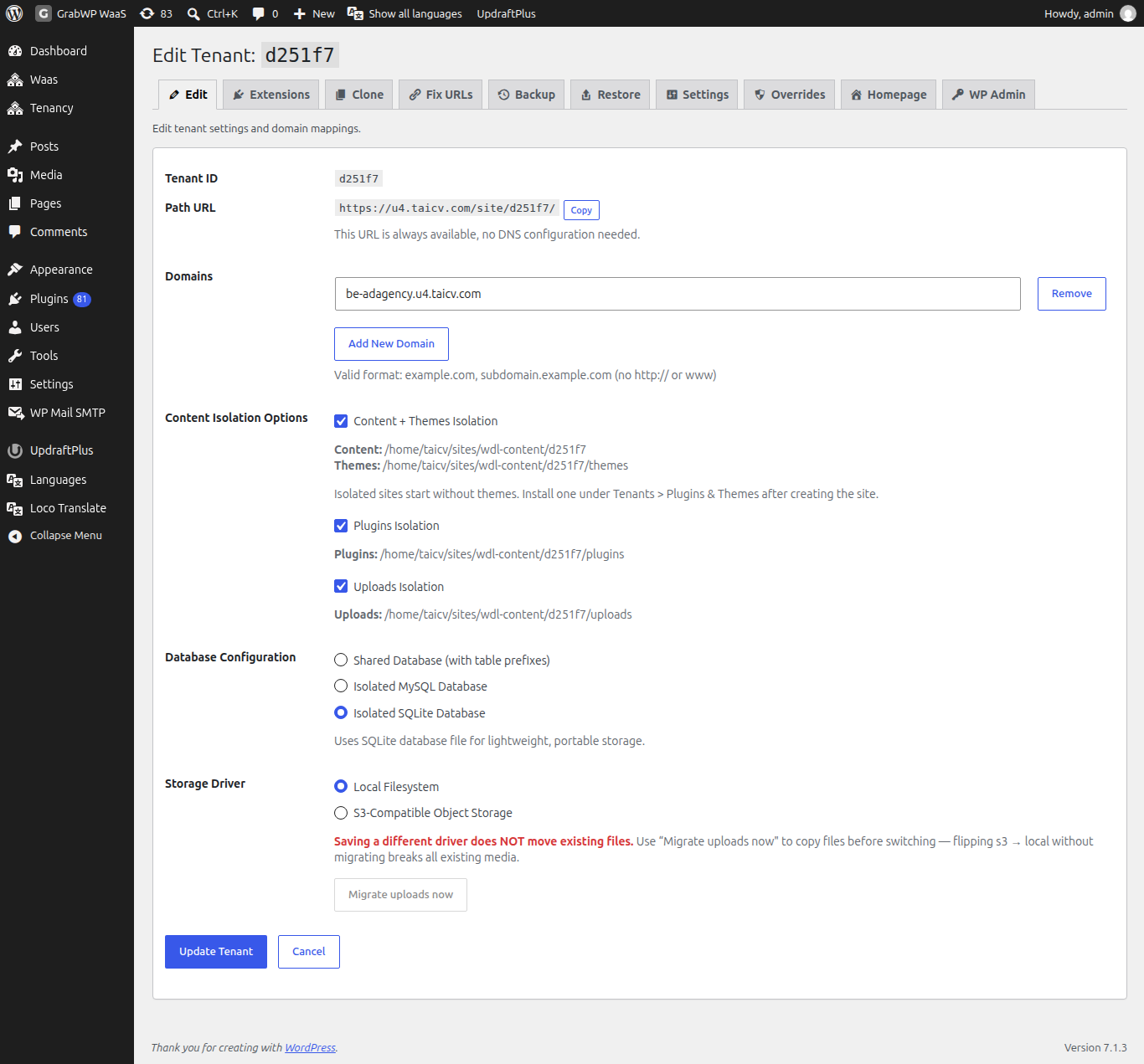
| Field | Notes |
|---|---|
| Tenant ID | Read only. |
| Path URL | The path address, with Copy. This URL is always available, no DNS configuration needed. With Pro and path aliases on, this row becomes Path Alias with Copy URL. |
| Domains | One field per domain. Remove deletes a row, Add New Domain adds one. |
The help text says Valid format: example.com, subdomain.example.com (no http:// or www).
Click Update Tenant. You see Tenant updated successfully.
A site can answer on more than one domain, for example www.client.com and client.com. Add each one here, then point each one at this server. See Domains and DNS.
With Pro, a tab bar across the top of this screen leads to the site's other tools: Edit, Extensions, Clone, Fix URLs, Backup, Restore, Settings, Overrides, Homepage, WP Admin.
Changing a domain here does not change the addresses stored inside the site's content. After a domain change, run Fix URLs (Pro).
Delete a site
Deleting a site removes its database tables and uploads. This cannot be undone. Take a backup first if you might need it (see Backup and restore).
- Click the trash icon on the row.
- When asked
To confirm deletion, type the tenant ID:, type the ID exactly. - If it does not match you see
Incorrect tenant ID. Deletion cancelled.
Check: the ID is gone from the list.
Limits
- Each domain can belong to only one site. Otherwise you see
Each domain can only be assigned to one tenant. - The ID cannot be changed after creation. Use a domain or path alias for the address people see.
- With Pro active, an inactive or invalid license blocks creating and editing sites. See Pro license.
:::info If you sell sites With WaaS, sites created by your signup flow also appear on this list. Their plans and payments are managed under Waas > Subscriptions, not here. See Trials and subscriptions. :::