Free settings
Short answer: Tenancy > Settings sets what admins of your sites can do and a few speed and security limits. These settings apply to every site, not to the main site. With Pro you can change them for one site on its Overrides tab.
Needs: Free. Pro adds per-site overrides and more routing options.
How it works
The page title is GrabWP Tenancy Settings. It has three tabs: Tenant Capabilities, Performance & Security and Routing. Change what you need and click Save Settings.
Each setting turns into a standard WordPress setting (a constant) when one of your sites loads. The main site is never affected.
Tenant Capabilities
What admins of your sites can do.
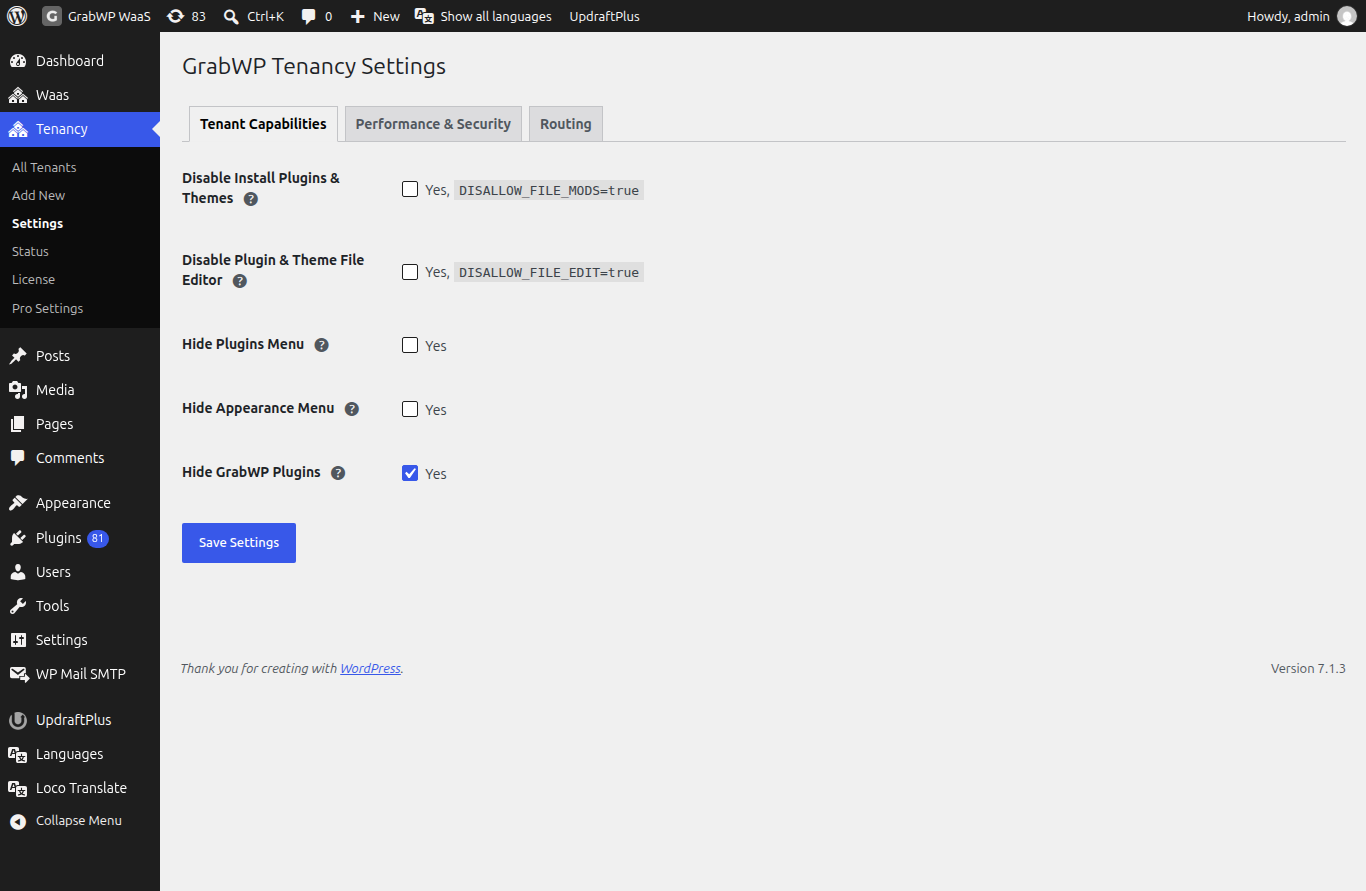
| Setting | Default | What it does |
|---|---|---|
| Disable Install Plugins & Themes | On | Site admins cannot install, update or delete plugins and themes. |
| Disable Plugin & Theme File Editor | On | Site admins cannot use the built-in code editor for plugin and theme files. |
| Hide Plugins Menu | Off | Removes the Plugins menu from site dashboards. |
| Hide Appearance Menu | Off | Removes the Appearance menu (themes) from site dashboards. |
| Hide Themes Screen | Off | Site admins keep Customize, Menus and Widgets under Appearance but cannot browse, install or switch themes. Has no effect when Hide Appearance Menu is on. Base 1.1.15 or later. |
| Hide GrabWP Plugins | On | Hides every GrabWP plugin and the SQLite plugin from the site's Plugins list, so admins cannot turn them off by mistake. |
When Hide Themes Screen is on and a site admin opens the Themes screen directly, the site shows Themes are managed by your host. You can still customize your current theme, menus and widgets from the Appearance menu.
If Disable Install Plugins & Themes or Disable Plugin & Theme File Editor is off, the Tenant file safety card on Tenancy > Status shows Unsafe. See Tenant file safety warning.
To let clients add their own plugins safely, see Plugins and themes.
Performance & Security
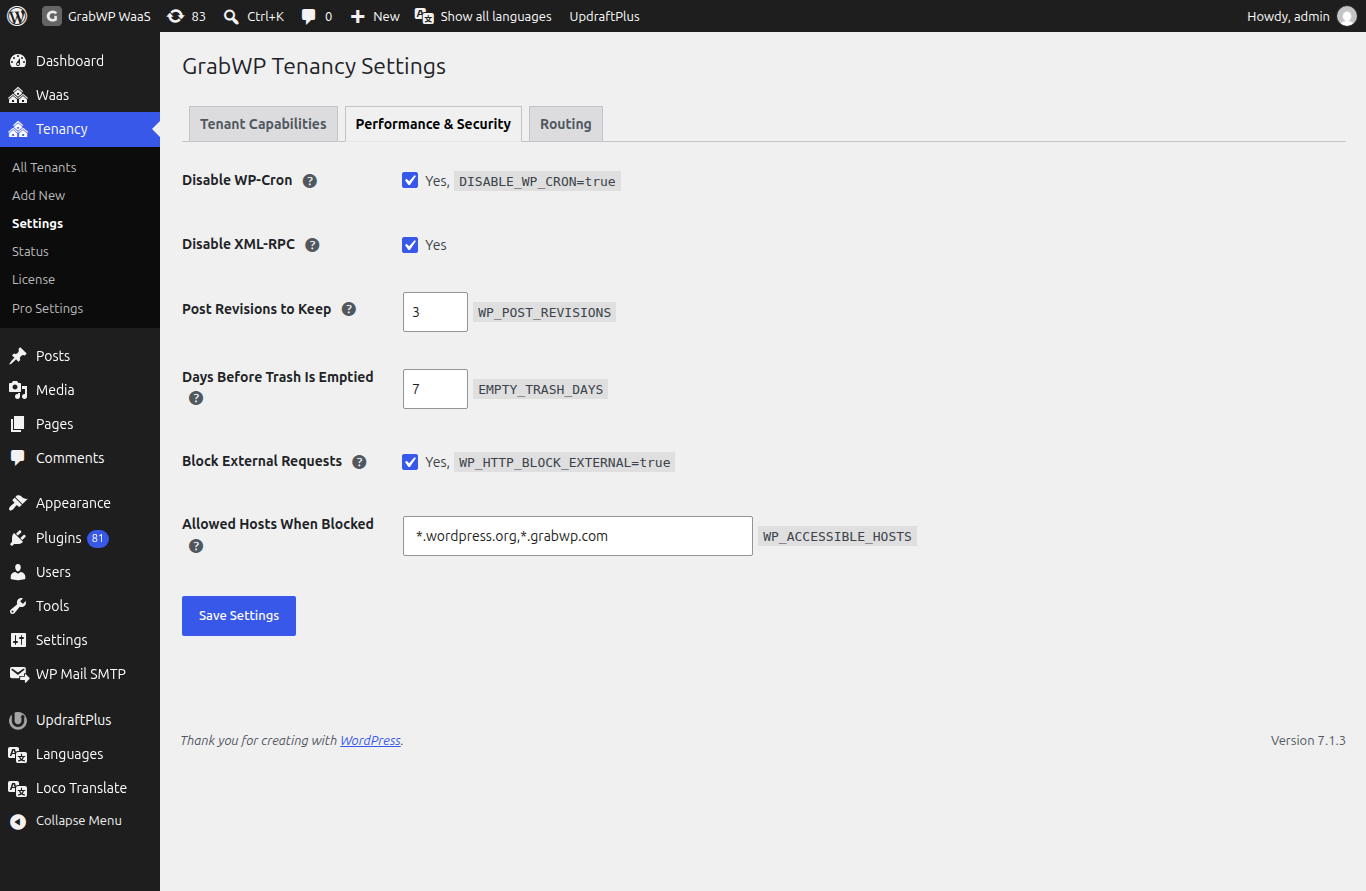
| Setting | Default | What it does |
|---|---|---|
| Disable WP-Cron | On | Turns off the built-in task scheduler on your sites. Run a server cron job instead. See Scheduled jobs. |
| Disable XML-RPC | On | Turns off the old remote publishing API, a common target of password-guessing attacks. |
| Post Revisions to Keep | 3 | How many older versions of each post to keep, from 0 to 100. 0 turns revisions off. |
| Days Before Trash Is Emptied | 7 | Deleted items stay in the Trash this many days, from 0 to 365. 0 deletes them right away. |
| Block External Requests | Off | Your sites cannot connect to other websites, except the allowed hosts below. |
| Allowed Hosts When Blocked | *.wordpress.org,*.grabwp.com | Comma-separated host names your sites can still reach when external requests are blocked. Wildcards like *.wordpress.org work. |
Routing
How visitors reach your sites.
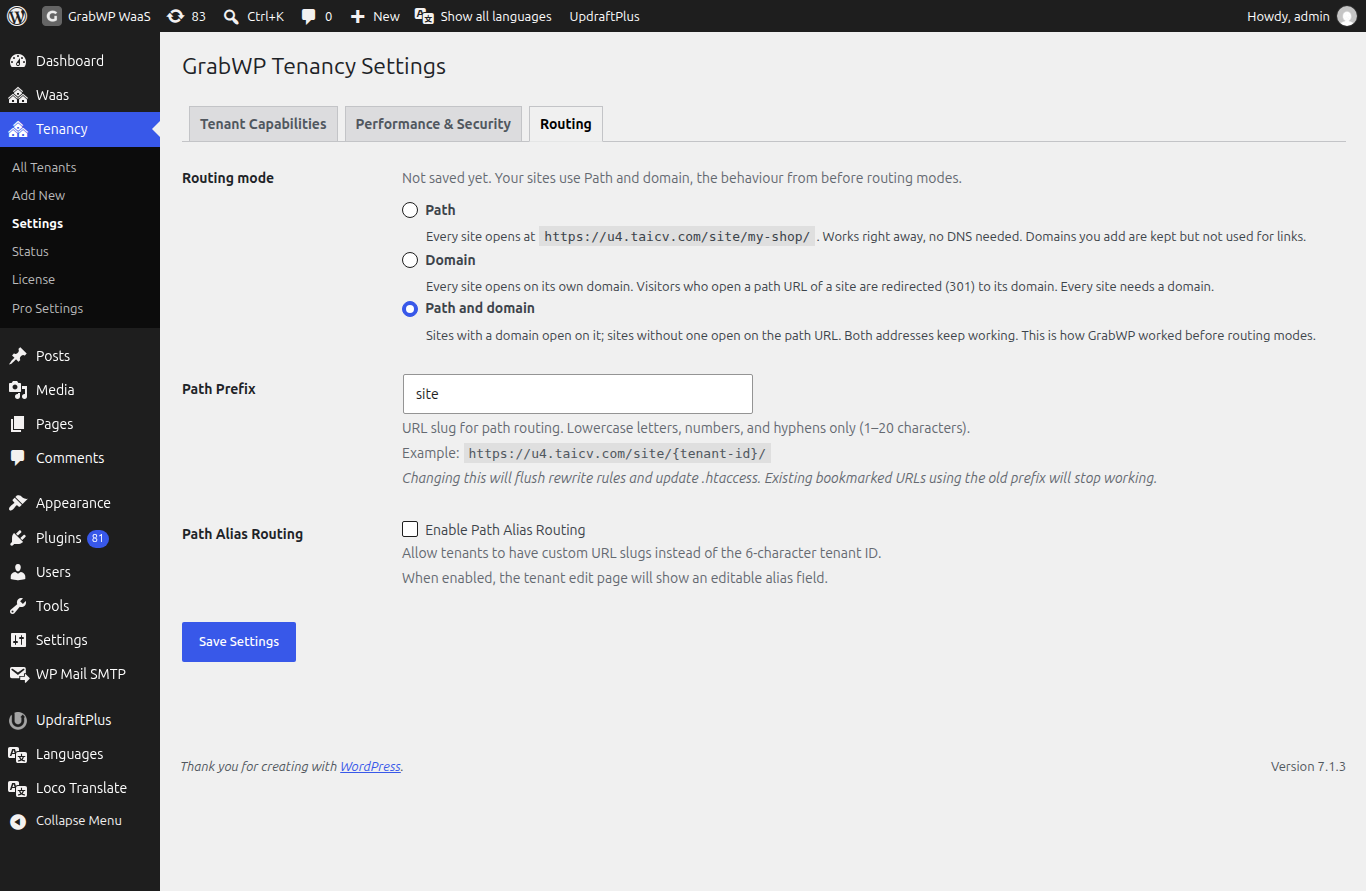
| Setting | Default | What it does |
|---|---|---|
| Routing mode | Path and domain | Path: sites open at example.com/site/abc123/. Domain: sites open on their own domain; a path address redirects to the domain. Path and domain: both work. |
| Path prefix | site | The word in path addresses. Fixed in Free. |
Pro adds Path Prefix (change the word) and Path Alias Routing (a readable name instead of the site ID) on this tab. See Domains and DNS.
When a setting has no effect
- Set in
wp-config.php. Ifwp-config.phpalready sets the same WordPress constant, a notice under the setting names the constant and its value and says the setting has no effect. Remove that line fromwp-config.phpto let GrabWP control it. - Set by another plugin. A similar notice says another plugin or file already sets the constant.
- Routing mode locked. If
GRABWP_TENANCY_ROUTING_MODEis inwp-config.php, the Routing tab says the routing mode is set inwp-config.phpand you must remove the constant to change it here. If its value is notpath,domainorboth, it is ignored and the tab says so.
A constant set in wp-config.php also wins over a per-site override.
Change it for one site
With Pro, open the site and its Overrides tab. Each setting can use the global value, Yes, No or a custom value. See Site settings and overrides.
Limits
- These settings are saved in
settings.phpinside the data folder. The routing mode is saved intenants.php. See Where site data lives. - If the data folder is not writable, saving shows
Failed to save settings. Please check file permissions.