Pro license
Short answer: paste your GRABWPPRO- key on Tenancy > License and click Activate License. While Pro is active without a valid license, you cannot create or edit sites and Pro updates are not offered.
Needs: Pro
How it works
The license ties your Pro copy to this WordPress install. Activation sends this site's domain and your key to GrabWP / Polar, the license service. After that, GrabWP checks the license about once a day. If the license service cannot be reached, nothing is blocked; it tries again later.
You can also activate the license in the License step of the setup wizard when you first install Pro. See Install GrabWP.
Activate
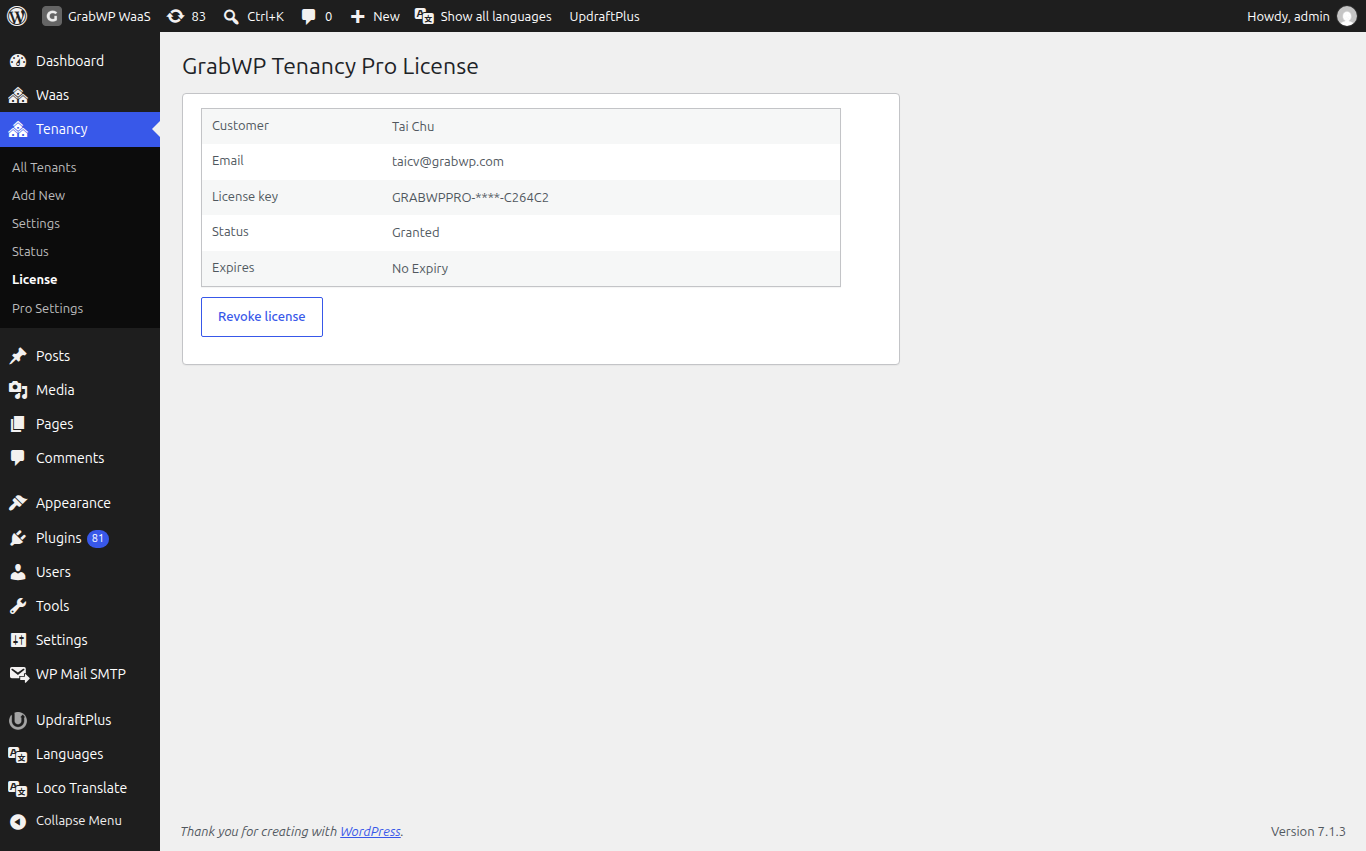
- Open Tenancy > License. The page title is GrabWP Tenancy Pro License.
- Open the Customer Portal link on the page, sign in with your purchase email and copy your key. Keys begin with
GRABWPPRO-. - Paste the key into License key.
- Click Activate License. You should see
License activated.
No key yet? The page links to grabwp.com. See Before you buy.
Check your license
After activation the page shows:
| Field | What it shows |
|---|---|
| Customer | The name on the license. |
| The email on the license. | |
| License key | Your key, masked. The full key is never shown again. |
| Status | For example Granted. |
| Expires | The expiry date, or No Expiry. |
Without a valid license
With Pro active but no valid license:
- Creating or editing a site stops with
Please activate your GrabWP Tenancy Pro license before managing tenants.orYour GrabWP Tenancy Pro license is invalid or expired. Please re-activate. - Pro updates are not offered. The Plugins screen asks you to activate to enable updates.
Your existing sites keep running.
Move or revoke a license
- On the old site, open Tenancy > License and click Revoke license.
- Confirm
Revoke this license? Pro features will be disabled until you re-activate.You should seeLicense revoked. - Activate the key on the new site.
If the old site is gone, open the Customer Portal, remove the old activation there, then click Activate License on the new site.
Limits
- Your server must be able to reach the license service over HTTPS. A firewall, or a
WP_HTTP_BLOCK_EXTERNALline in the main site'swp-config.php, can stop activation. Block External Requests in Free settings only affects your sites, not the main site, so it does not block the license. - Keep your key private. Do not paste it in public posts or chats.