Dashboard, activity log and provisioning
Short answer: Waas > Dashboard shows your revenue, subscriber, signup, churn and trial numbers at a glance. Waas > Settings > Activity Log lists what happened and when. Waas > Settings > Provisioning shows site builds still in progress or failed, with Retry and Dismiss buttons.
Needs: Pro + WaaS
WaaS Dashboard
Go to Waas > Dashboard. The page heading is WaaS Dashboard.
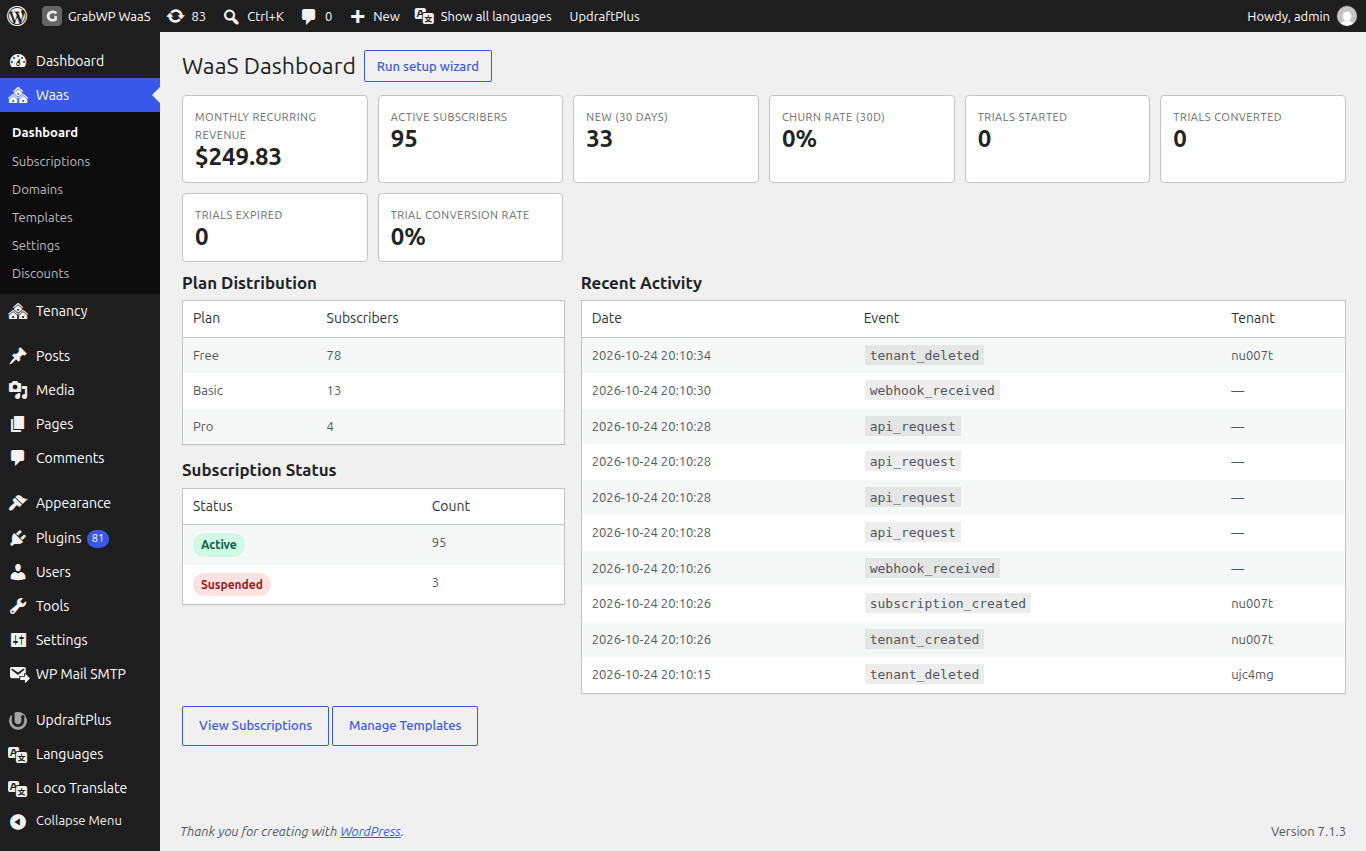
Summary cards
| Card | Notes |
|---|---|
| Monthly Recurring Revenue | Current monthly recurring revenue. It always shows a $ sign, whatever your currency. |
| Active Subscribers | Number of active subscriptions. |
| New (30 days) | Signups in the last 30 days. |
| Churn Rate (30d) | Churn over the last 30 days, in percent. |
Four more cards track built-in trials: Trials started, Trials converted, Trials expired and Trial conversion rate.
Panels
- Plan Distribution: Plan and Subscribers, shown once a plan has subscribers.
- Subscription Status: Status and Count. Click a status badge to open Waas > Subscriptions filtered to it. See Free trials and subscriptions.
- Recent Activity: Date, Event and Tenant for the latest events. The full list is on Activity Log.
View Subscriptions opens the subscriptions list and Manage Templates opens the templates. To reopen the setup wizard, use Run setup wizard on Tenancy > Status.
Activity log
Go to Waas > Settings > Activity Log.
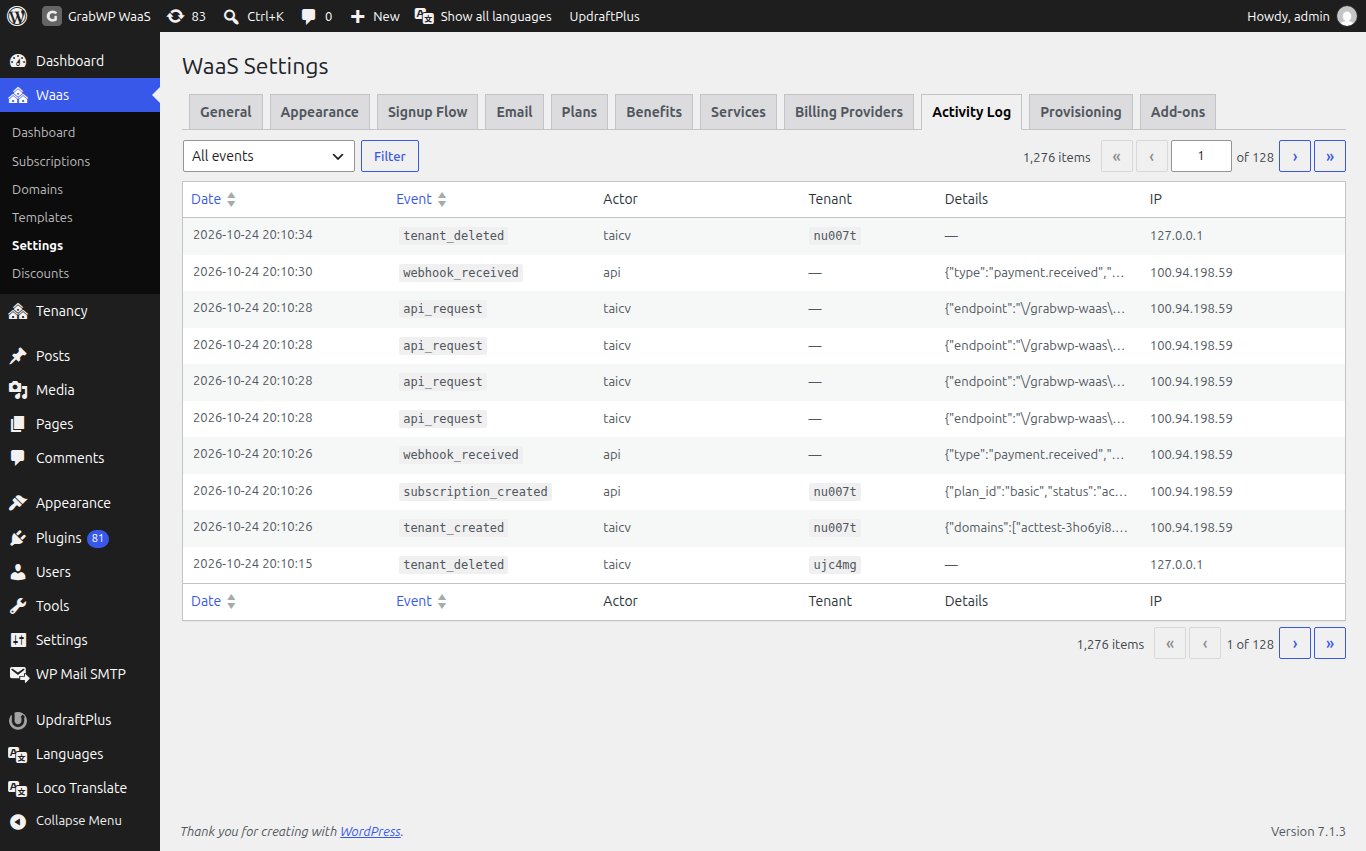
| Column | Notes |
|---|---|
| Date | When the event was recorded. Sortable. |
| Event | The event code. Sortable. |
| Actor | cron, another actor type, or the WordPress user's display name. |
| Tenant | The site ID, when the event has one. |
| Details | A short summary. Hover the cell for the full data. |
| IP | The request IP, when recorded. |
Pick an event in the dropdown and click Filter. All events clears the filter. The dropdown lists tenant_created, tenant_deleted, tenant_updated, token_generated, api_request, settings_changed, subscription_created, subscription_changed and webhook_received. Other events, such as renewals or trial events, still show under All events.
How long rows are kept is Retention (days) under Waas > Settings > General, Retention and grace period (7 to 365, default 90).
Provisioning
Go to Waas > Settings > Provisioning. The page is titled Provisioning Intents. Each row is one job that builds or updates a site after a signup, an upgrade or a service purchase.
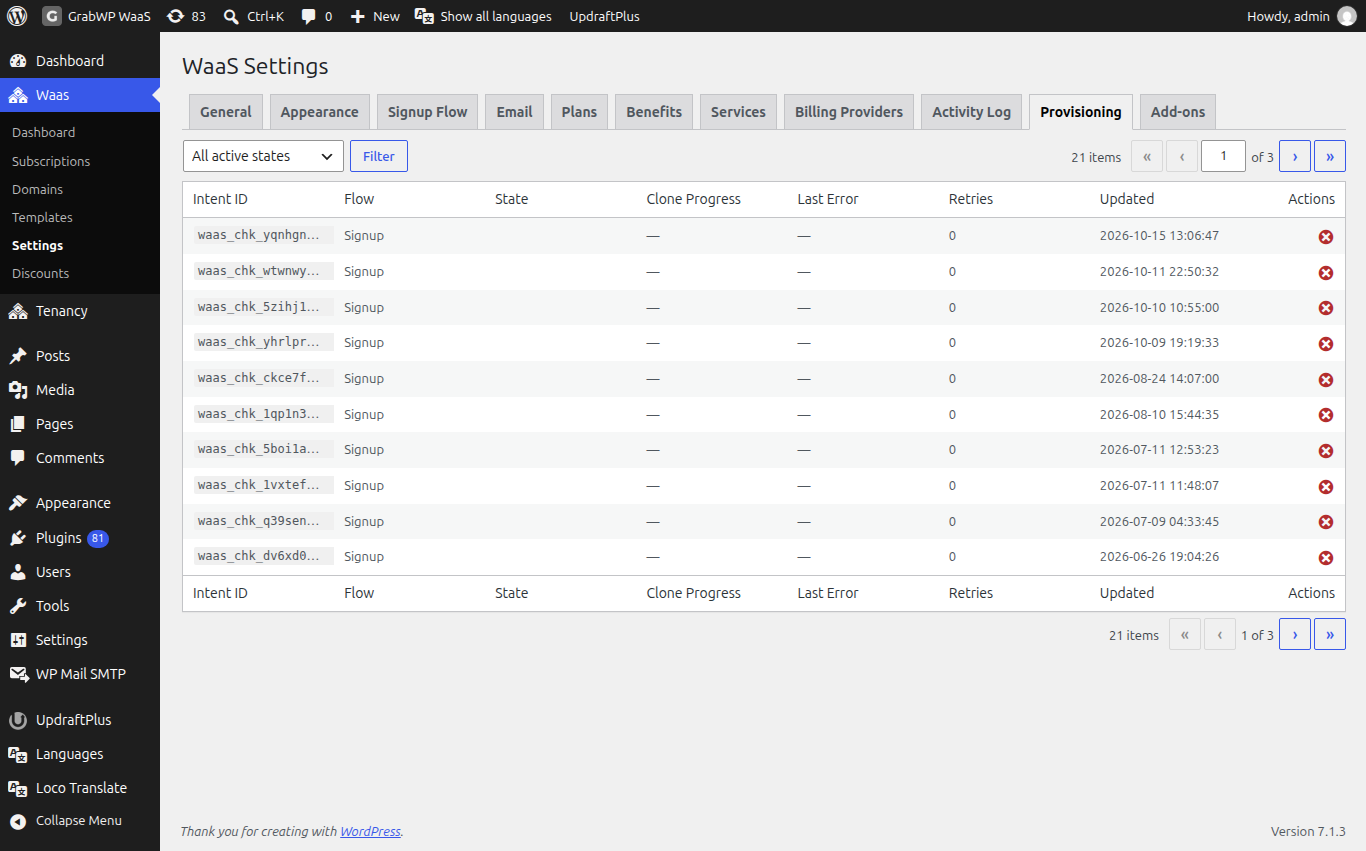
| Column | Notes |
|---|---|
| Intent ID | The job ID. |
| Flow | Signup, Upgrade, Service purchase or Renewal invoice. |
| State | The current state, as a badge. |
| Clone Progress | Step and total (step / total) while a template copy runs. |
| Last Error | The latest error, if any. |
| Retries | How many retries so far. |
| Updated | The last update time. |
| Actions | Retry and Dismiss. |
Filter with All active states or one state, then click Filter. Finished jobs are not in this list.
| State | Meaning |
|---|---|
checkout_pending | Checkout has not finished yet. |
payment_confirmed | Payment is confirmed and the build continues. |
finalizing | The job is finishing the site. |
tenant_created | The site exists and later steps are still running. |
clone_running | A template copy is in progress. Clone Progress shows the step. |
failed_retriable | The job failed and can run again. |
An hourly job re-queues stuck signups by itself, up to 12 retries. How a signup turns into a site is on How WaaS works.
Retry a build
Retry shows for failed_retriable and clone_running. Click it on the row. The notice is Intent re-queued for retry. The job goes back to failed_retriable with Retries reset to 0 and runs again.
Dismiss a build
Click Dismiss and confirm Mark this intent as dismissed (failed_terminal)? The notice is Intent dismissed. and the job leaves the list.
Check that it works
- The summary cards show on Waas > Dashboard, and View Subscriptions opens the list.
- On Activity Log, choose
subscription_changedand click Filter: only that event shows. All events brings the full list back.