Database options
Short answer: on Free, every site keeps its tables in your main WordPress database, each with its own prefix. Pro adds two choices per site: its own MySQL database, or its own SQLite database file. Set the default on Tenancy > Pro Settings > Database and change it for one site on Add New or Edit.
Needs: Free for the shared database. Pro for Isolated MySQL Database and Isolated SQLite Database.
The three options
| Option (label in wp-admin) | What it means | Needs |
|---|---|---|
| Shared Database (with table prefixes) | The site's tables sit in the main database. Their names start with the site ID and an underscore, for example abc123_posts. | Free. Works on every host. |
| Isolated MySQL Database | The site uses a separate MySQL database that you provide. | Pro, plus a MySQL database and user from your host. |
| Isolated SQLite Database | The site keeps its content in its own database file on the server. Nothing to set up. | Pro, plus the PHP extension pdo_sqlite. The SQLite library comes with Pro. |
Which one to pick
- Shared is the simplest and works everywhere, but all sites live in one database.
- Isolated SQLite keeps each site's data apart with no extra setup. It is the default on new Pro installs when the server has
pdo_sqlite. - Isolated MySQL is for when your host gives you extra MySQL databases and you want each site in its own one.
Pick before you create sites. Changing the default later does not move existing sites.
Set the default for new sites
Open Tenancy > Pro Settings and the Database tab.
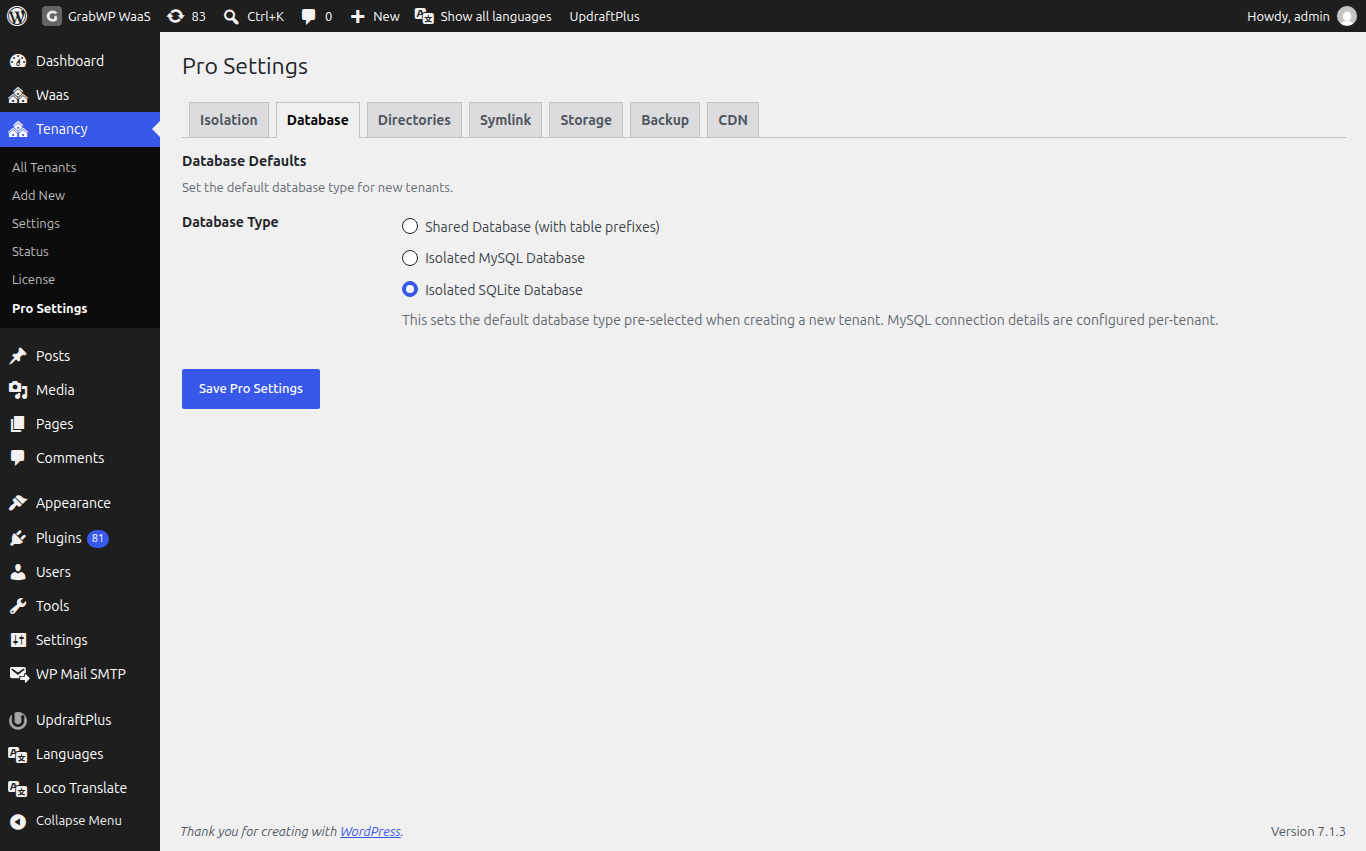
- Under Database Defaults, choose the Database Type.
- If you pick Isolated MySQL Database, fill Default MySQL Connection: MySQL Host (for example
localhostorlocalhost:3306), MySQL Database and MySQL Username. These are pre-filled on Add New. The password is not stored here; you enter it per site. - Click Save Pro Settings.
Without pdo_sqlite, new installs default to the shared database, and the setup wizard says PHP extension pdo_sqlite is not available on this server. Installs upgraded from older Pro versions keep the default they had.
Set the database for one site
Open Tenancy > Add New, or the Settings icon on an existing site's row.
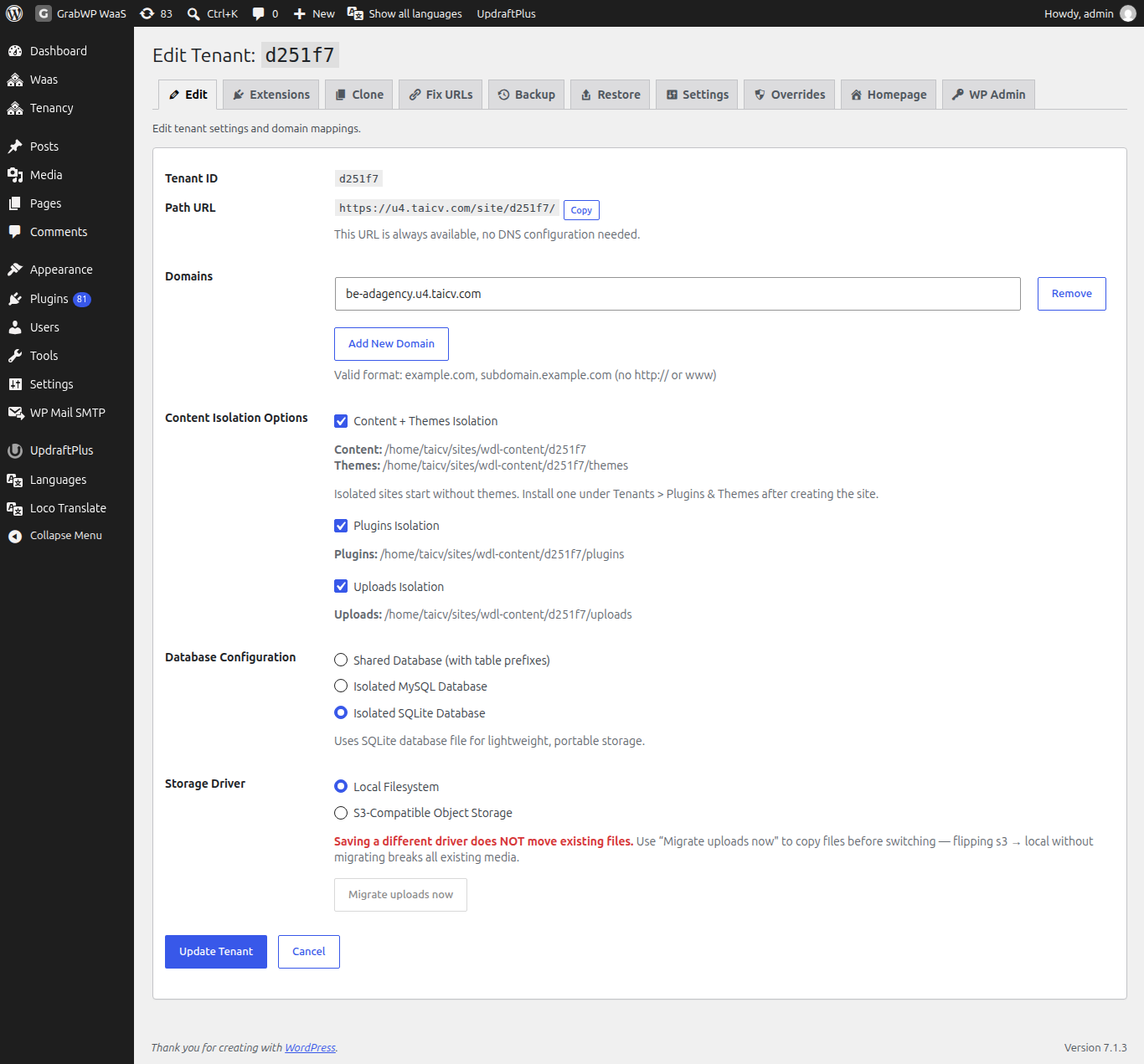
Under Database Configuration, choose one of the three options. For Isolated MySQL Database, fill:
| Field | Notes |
|---|---|
| MySQL Host | Server name and port, for example localhost. |
| Database Name | The MySQL database for this site. Create it in your hosting panel first; GrabWP does not create it. |
| Username | A MySQL user that can use that database. |
| Password | On an existing site, leave it blank to keep the current password. |
Click Test Connection before Create Tenant or Update Tenant.
Check: the Database column on Tenancy > All Tenants shows Shared MySQL, Isolated MySQL or Isolated SQLite as you chose.
Limits
- To move a site's content to another database type, clone it into a site of that type, or back it up and restore it there. Pro clone and restore both work across shared MySQL, isolated MySQL and SQLite. See Clone a site and Backup and restore.
- If the setup wizard says
The Isolated MySQL password is not available any more., type the password again.