Where site data lives
Short answer: GrabWP keeps everything about your sites in one data folder, by default wp-content/grabwp-tenancy. Each site has a subfolder named after its ID. Pro adds a config folder and, for SQLite sites, a database folder. Tenancy > Status warns if a folder is missing or in a risky place.
Needs: Free. Pro adds the config and SQLite folders.
The data folder
Default: wp-content/grabwp-tenancy. Inside it:
| Path | What it holds |
|---|---|
tenants.php | The list of sites, their domains and the routing mode. |
settings.php | The Free settings. |
{tenant_id}/uploads | One site's images and files (when it has its own uploads folder). |
{tenant_id}/plugins and {tenant_id}/themes | One site's own plugins and themes (Pro, when the site has its own). |
suspended/{tenant_id}.php | Present while a site is blocked (Pro + WaaS). |
Sites that share uploads with the main site use the main wp-content/uploads folder instead. With S3 storage, uploads are in your bucket.
Pro folders
| Folder | Default | What it holds |
|---|---|---|
| Pro config | wp-content/grabwp-tenancy-pro | config.php with the Pro settings, and one {tenant_id}/config.php per site with that site's Pro settings. |
| SQLite databases | wp-content/grabwp-tenancy-sqlite | One folder per site with its database file. |
| Domain symlinks | wp-content/grabwp-tenancy-domains | Only used when Enable Domain Symlink is on. |
You can move these folders on Tenancy > Pro Settings > Directories (or Domains Directory on the Symlink tab), or with constants in wp-config.php. Moving Pro Config Dir moves the per-site config files only. The main config.php always stays in wp-content/grabwp-tenancy-pro.
Sites on a MySQL database (shared or their own) keep their data in MySQL, not in these folders. See Database options.
Check on the Status page
Open Tenancy > Status.
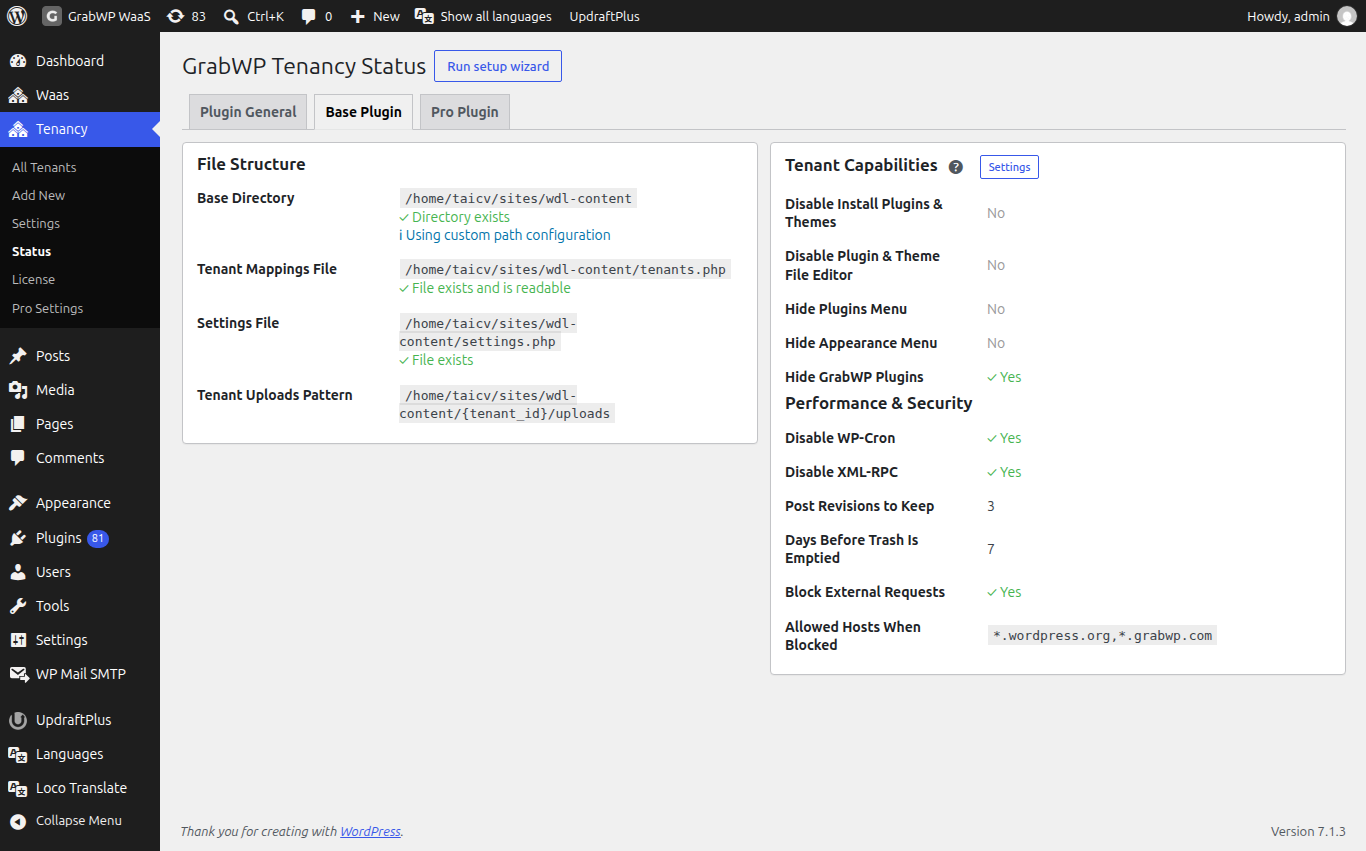
| Warning | What to do |
|---|---|
Data directory is missing. | Create the folder or check its permissions, then reload the page. |
Data directory inside uploads/ | The data folder is inside wp-content/uploads, where files are easier to expose or delete by mistake. Move it (see below). |
Pro config directory inside uploads/ | Same, for the Pro config folder. |
SQLite directory inside uploads/ | Same, for the SQLite folder. |
If the folders are not writable, you cannot create sites or save settings. See MU-plugin or data directory notice.
Move an older folder
Older installs used wp-content/grabwp or wp-content/uploads/grabwp-tenancy. GrabWP still reads them, and the Status page shows You're using a legacy path structure. To comply with WordPress standards: with three steps:
- Deactivate the plugin.
- Rename and move the whole old folder to
wp-content/grabwp-tenancy. The notice shows both paths. - Reactivate the plugin.
Do not move the folder while the plugin is active, and take a full backup of the files first.
Check: reload Tenancy > Status. The legacy notice is gone, and your sites open as before.
Limits
- Back up the whole data folder (and the Pro folders) together with your database. A site is not complete without its files.
- Do not edit
tenants.phpor the config files by hand. Use wp-admin or WP-CLI.